Every event.

On record.

When something doesn't add up, the answer is already in the platform.

Every payment event generated on your network is logged, traceable, and accessible, to the right level, with the right permissions. Your merchants see what was sent, what was received, and what failed. They resend without opening a ticket. You see everything across your entire network. Logs capture every platform action in plain language, with a full audit trail. Nothing happens without a trace.

Book a demo
Hero image

Every payment event.  Logged. Traceable. Actionable.

Every event generated on a transaction, checkout, or batch flow is recorded in Payment Events. Status, payload, delivery attempt, webhook endpoint, request and response, every element of the delivery chain is visible. Your merchants search by transaction, by status, by period, by webhook. They open the event detail, read the exact payload that was sent, inspect the response received, and understand precisely what happened, without involving your team.
The full delivery chain. In one place.
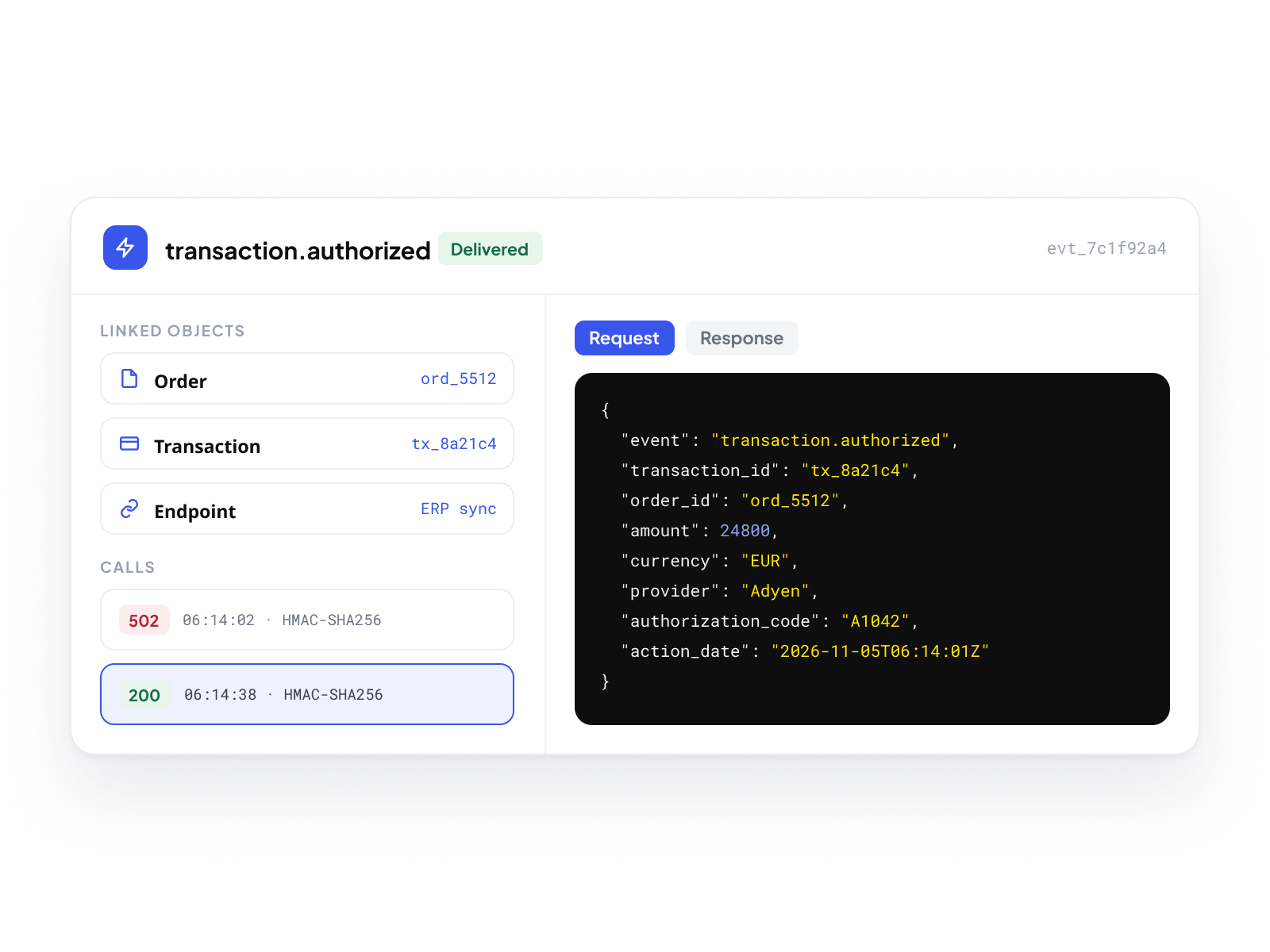
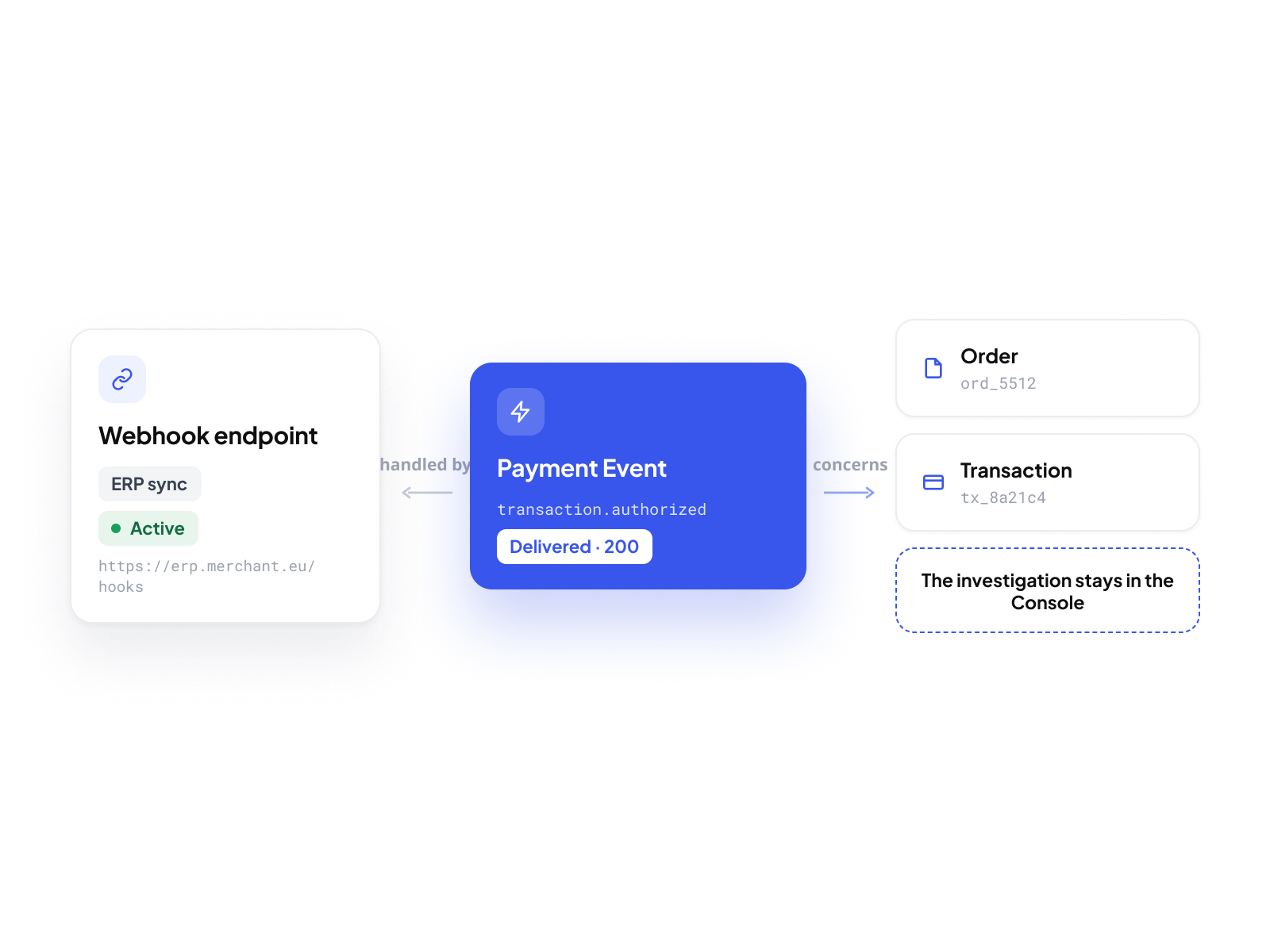
Each event detail shows the complete picture: the event summary with linked Order and Transaction references, the request and response payloads in a JSON viewer, the calls list with signature and timestamp for each delivery attempt, and the webhook endpoint that handled the delivery. When a delivery fails, the response is there. When a signature needs to be verified, the timestamp and algorithm are there. Nothing is inferred; everything is recorded.
Webhook performance. At a glance.
Each Payment Event links directly back to its webhook endpoint (name, status, target URL) and forward to the Order or Transaction it concerns. From a single event detail, a merchant moves to the webhook configuration to verify settings, or to the Order to inspect the full transaction context. Every surface is connected. The investigation stays within the Console.
A delivery fails. Resend it.
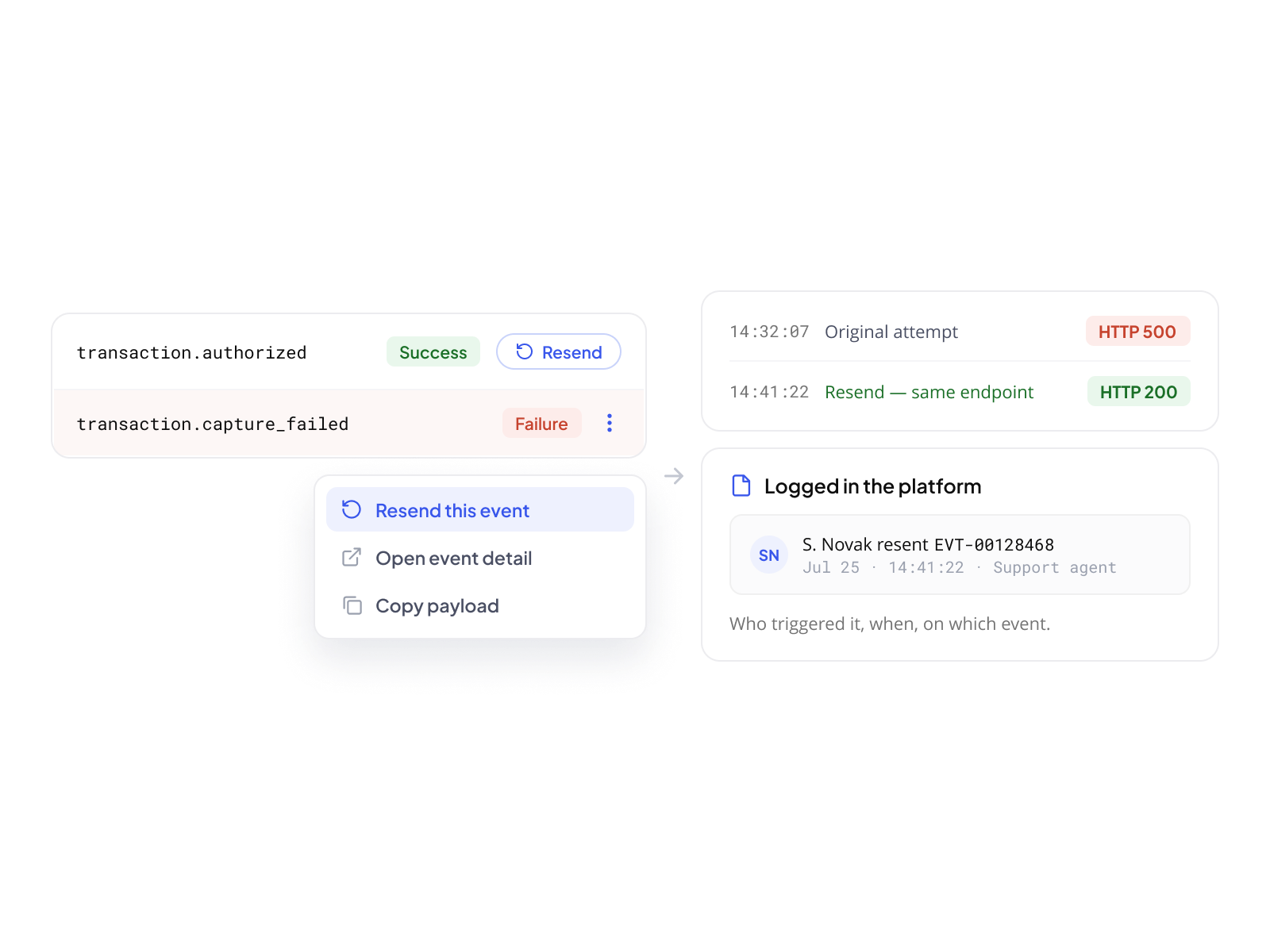
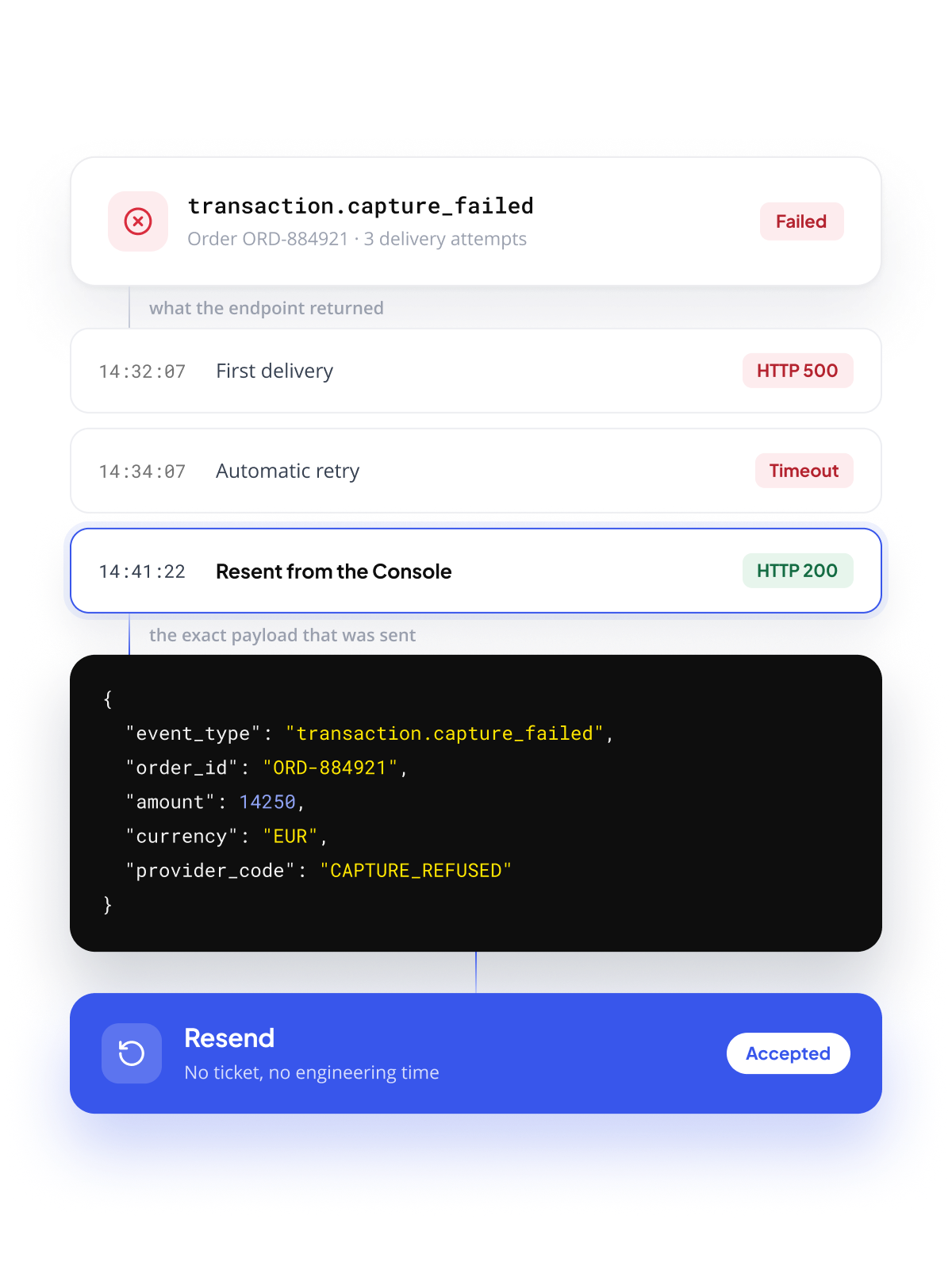
When an event fails to deliver, your merchants don't wait for a fix. From any event in the Payment Events table, or directly from the event detail, a single action resends the notification immediately. No configuration change. No new webhook to create. The resend is logged, traceable, and visible in Resent Events.
Single resend. One action.
Any event with a Success or Failure status can be resent individually. The action is available from the table row, the context menu, or the event detail page. The resend creates a new delivery attempt using the same webhook endpoint and payload configuration. The result is immediately visible. Every resend, who triggered it, when, on which event, is logged in the platform.
Bulk resend. For larger incidents.
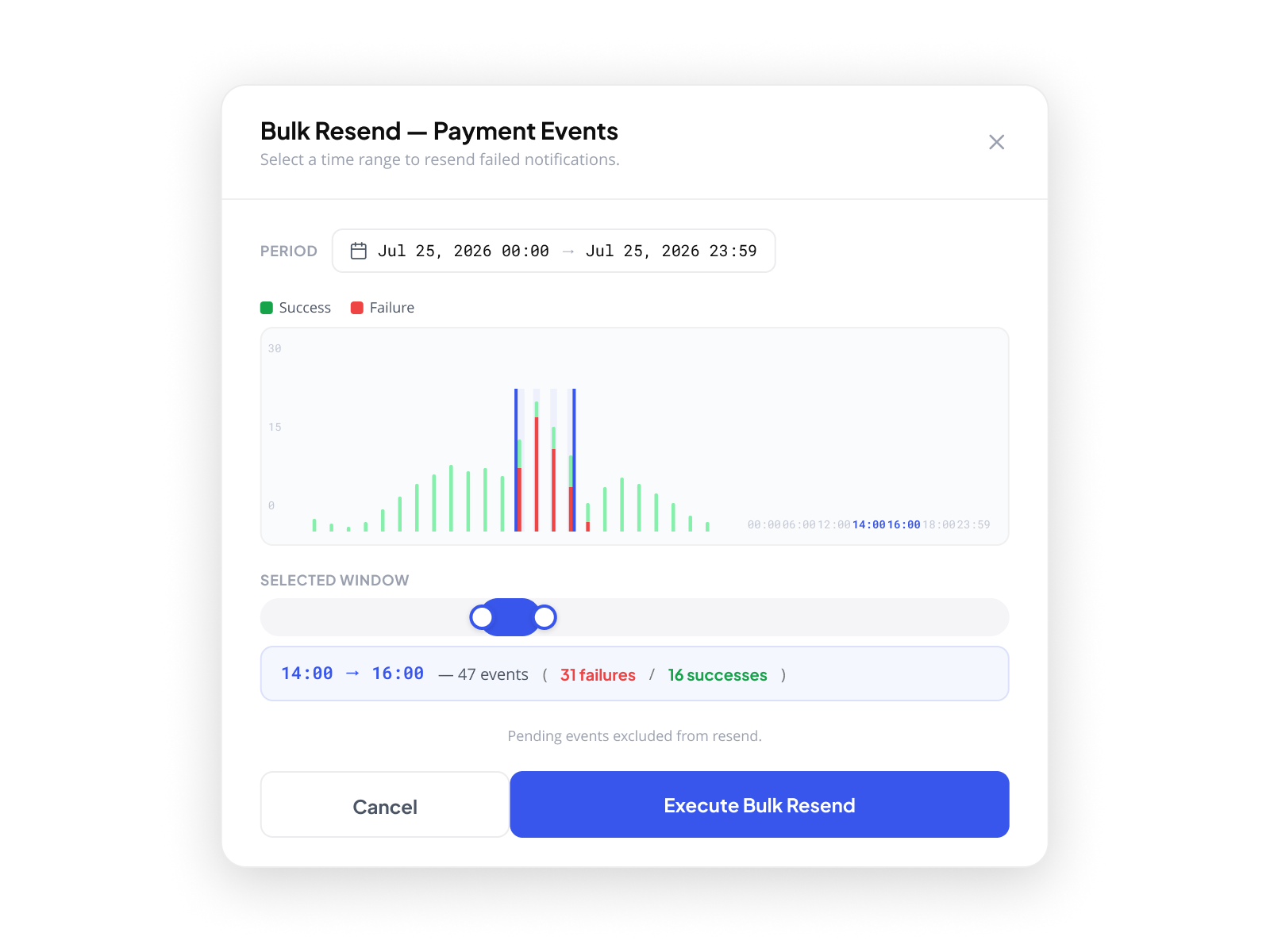
When multiple events fail across a time window, a temporary server outage, a misconfigured endpoint now corrected, the Bulk Resend covers the full period. Select the time range (up to one week). A histogram shows the distribution of Success and Failure events in 15-minute slots. A 2-hour slider defines the resend window precisely. Pending events are excluded automatically. The execution is logged as a Resend Bulk record, visible in Resent Events with progression, event counts, and post-resend outcomes, how many succeeded, how many failed again.

Logs. Every platform action. In plain language.

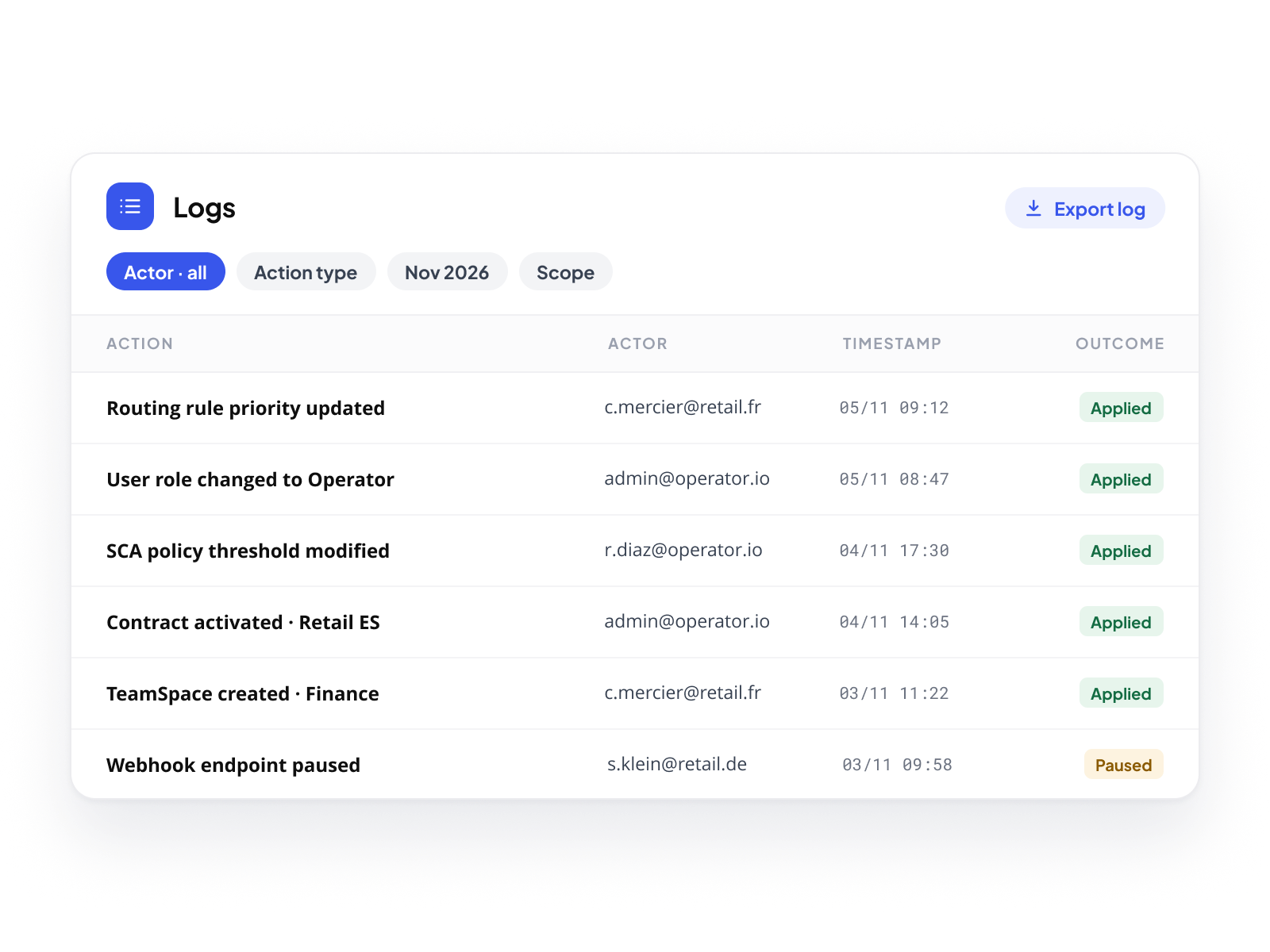
Payment Events record what the platform sent. Logs record what happened on the platform itself. Every configuration change, every permission update, every access to a sensitive credential, every user action that modifies the state of the infrastructure, all logged, all readable, all traceable. The Logs are not a developer tool. They are the operational audit trail of the platform, written so that any member of the team can understand what happened, who did it, and when.

Configuration changes. User actions.  All in one place.
A routing rule priority is updated. A user role is changed. An SCA policy threshold is modified. A contract is activated. A TeamSpace is created. Every action that changes the configuration of a Merchant Account or the structure of the operator's network appears in the Logs, with the actor, the timestamp, the object affected, and the outcome. Filter by actor, by action type, by period, by scope. Export the full log for compliance or external audit.
Sensitive access. Always recorded.
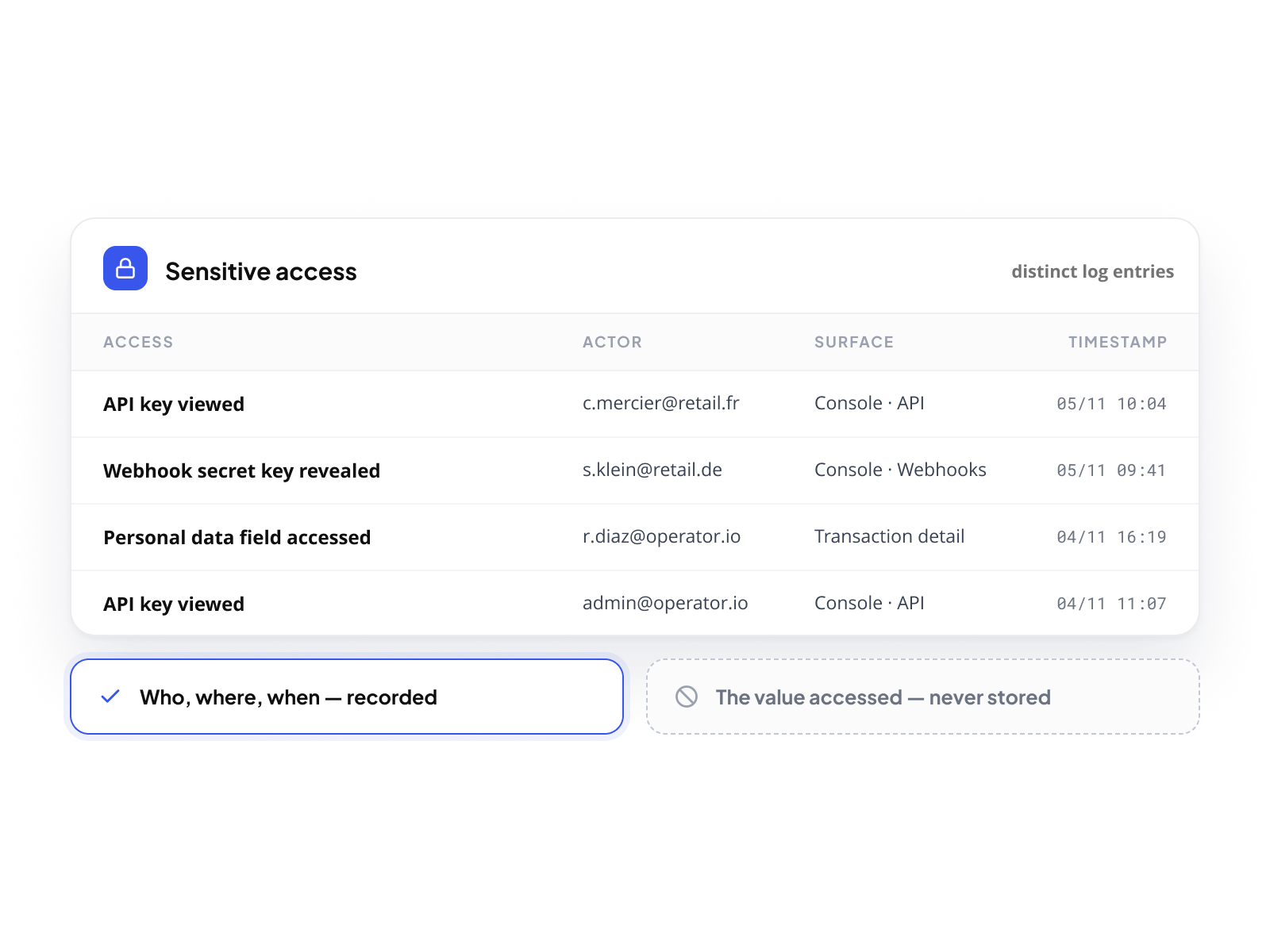
Access to sensitive elements (an API key viewed, a webhook secret key revealed, a personal data field accessed) is logged as a distinct entry. The log does not store the value accessed. It records that the access occurred, who performed it, from which surface, and when. For operators managing multiple merchants under compliance obligations, this trace is the foundation of every access audit.
Your scope. Every level. Full visibility.
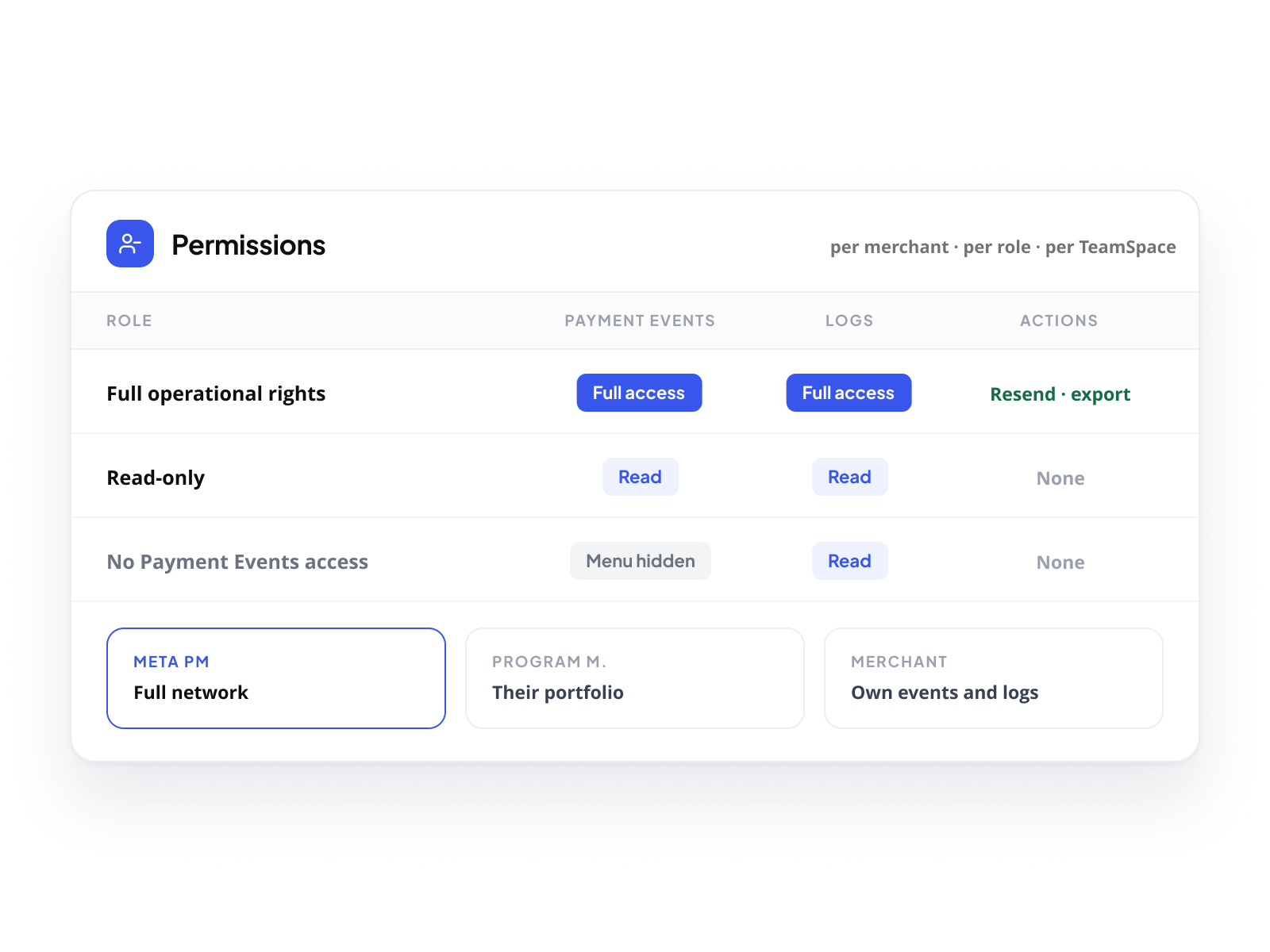
The same scope model that applies to dashboards and exports applies to supervision. A Merchant Account user sees their own Payment Events and Logs. A Program Manager sees every event and every log entry across their entire portfolio. A Meta Program Manager sees the full network. Every level investigates within its perimeter, without tools, without exports, without asking the level above for access.
Supervise without connecting as. 
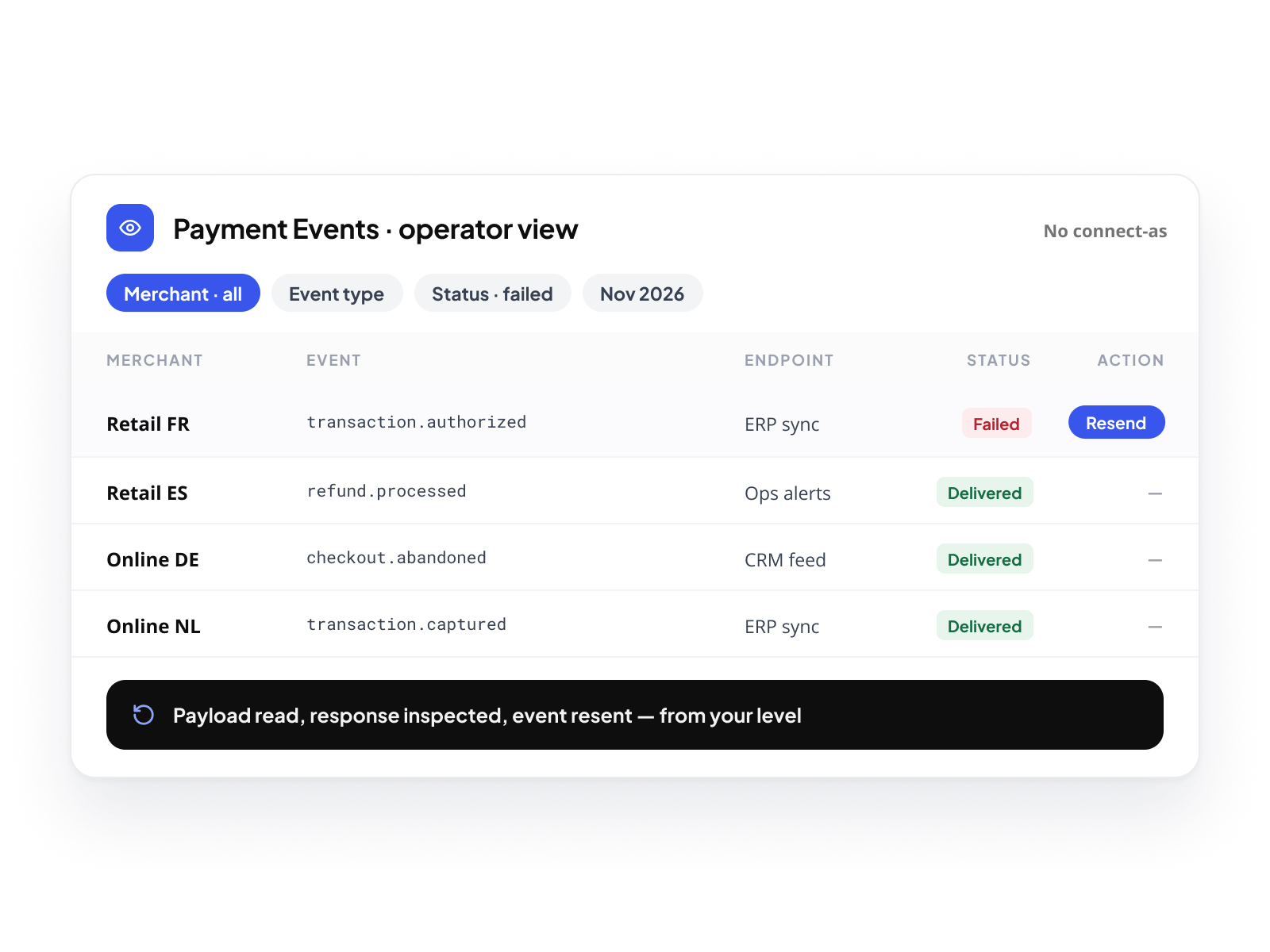
From your operator view, every Payment Event generated across your merchants is visible in a single table, filtered by merchant, by event type, by status, by period. When a merchant reports a missing notification, you find the event in seconds, read the payload and the delivery response, and resend if needed, without ever logging into the merchant's account. The investigation happens at your level, on your data, under your brand.
Permissions you control. Access you grant.
What your merchants see in Payment Events and Logs is determined by the permissions you assign. A merchant with full operational rights investigates independently. A merchant with read-only access sees the data without being able to act on it. A merchant with no access to Payment Events doesn't see the menu. The granularity is yours to define, for each merchant, each role, each TeamSpace.

Your merchants investigate. You supervise. 
Nothing goes untraced.

Every event. Every action. Every level. In the platform.

Book a demo