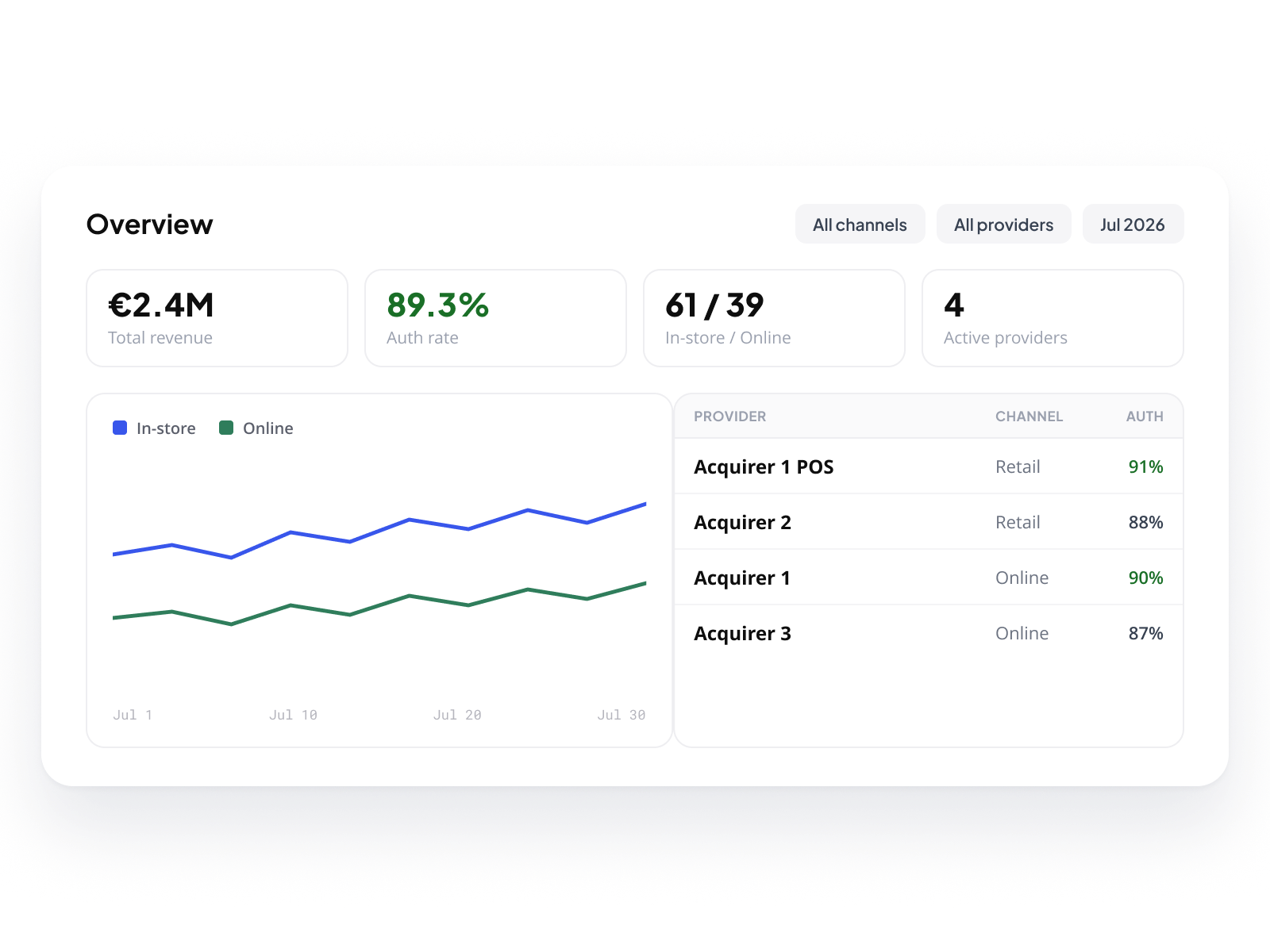
Online and in-store.

One platform.

Physical and digital flows, on one platform, under your brand.

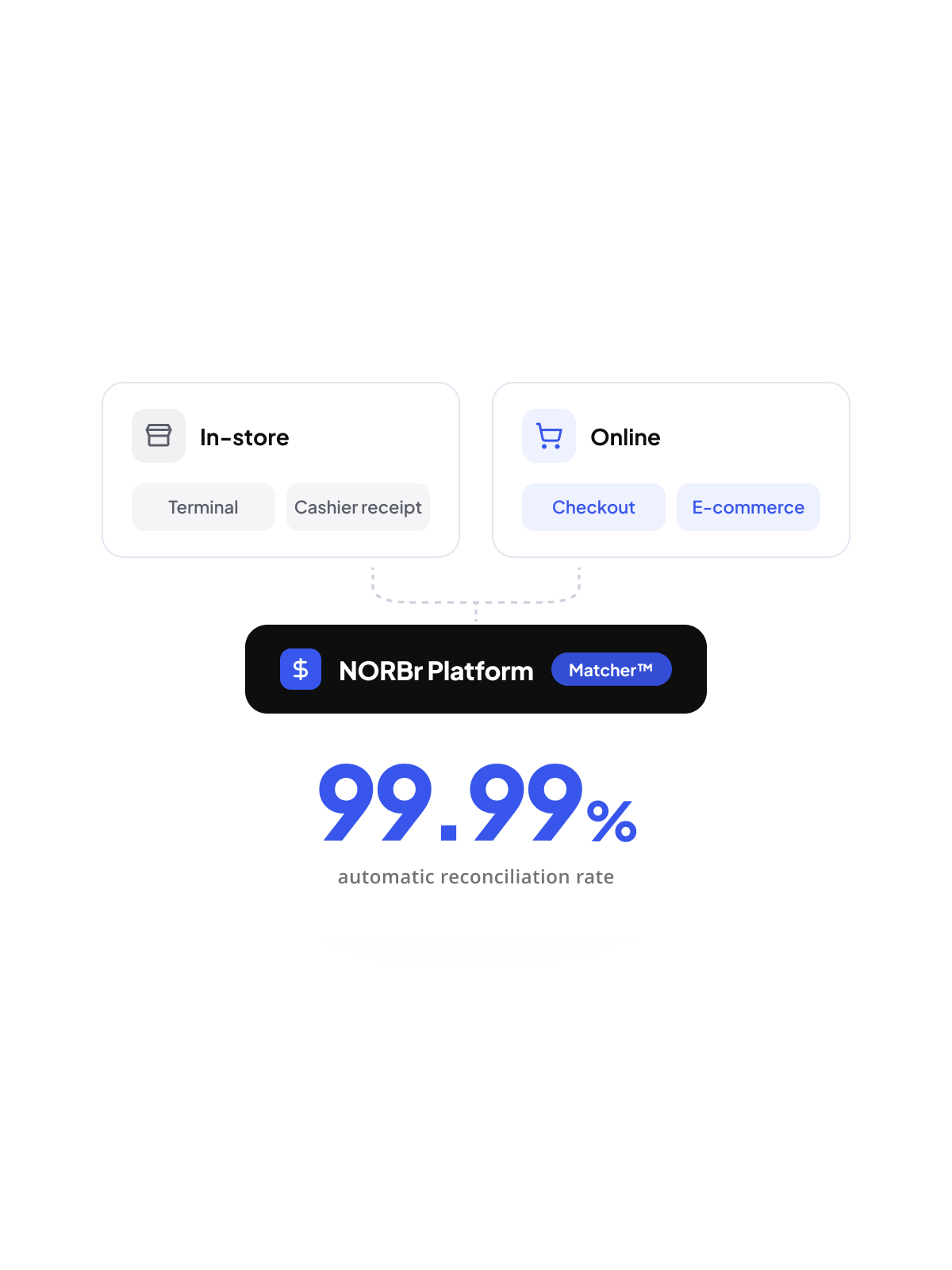
A merchant who sells online and in-store runs two separate payment realities today: a POS provider on one side, a payment platform on the other, and a matching process in between that takes time and produces errors. NORBr unifies both. Terminal payments, cashier receipts, e-commerce orders, all flow into the same platform, the same analytics, the same financial reporting. Matcher™ matches them automatically. Your merchants see everything, in one place, under your brand.

Book a demo
Hero image

In-store data. In the same Console.

In-store payment data comes from two places: the payment provider side and the cashier side. NORBr surfaces both in the same Console your merchants use for their online flows. Same table logic, same filters, same navigation. No separate tool to open, no data to export and cross-reference manually.
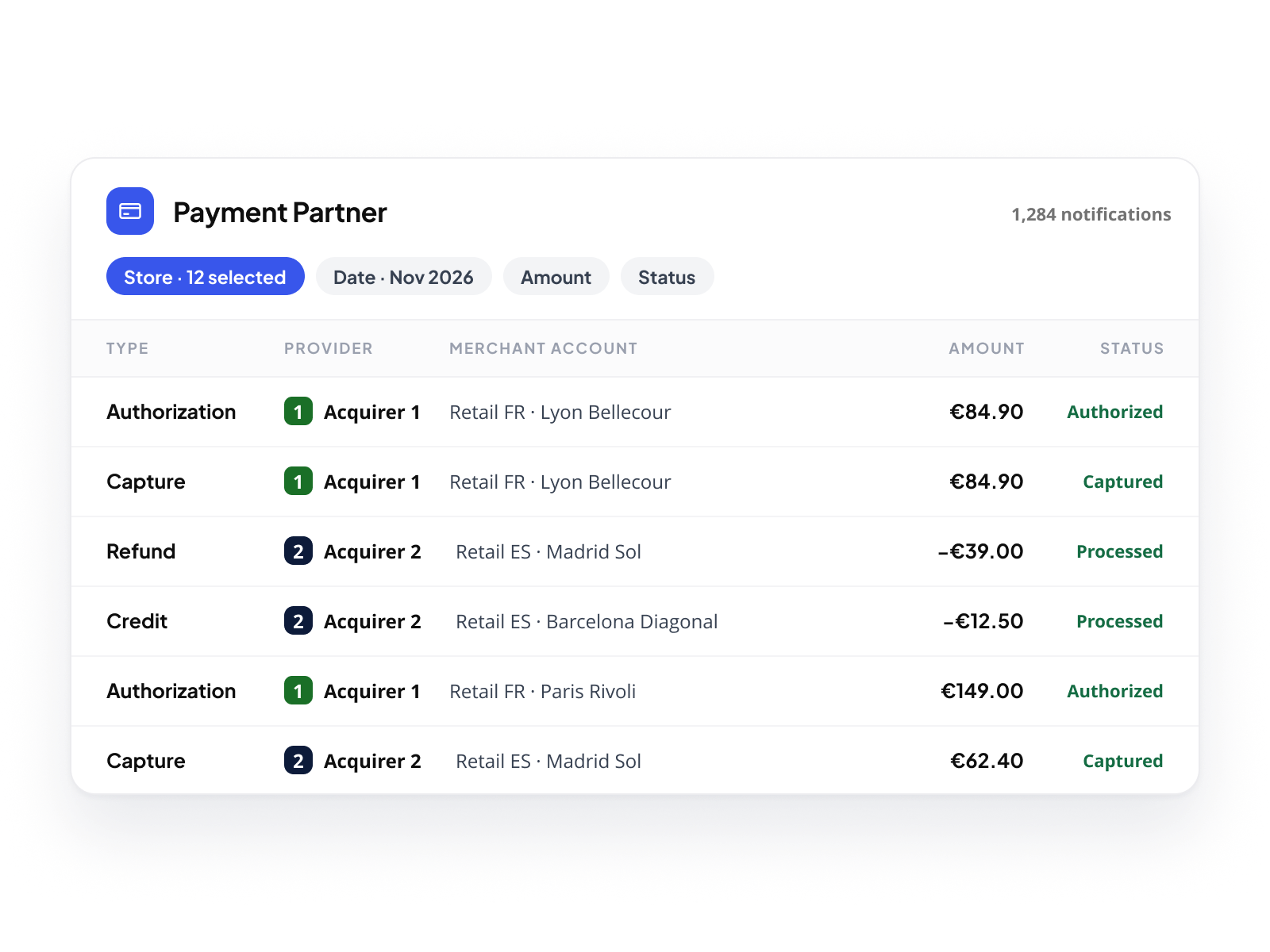
Payment Partner
Every authorization, capture, refund, and credit sent by your payment providers is consolidated in Payment Partner, in one normalized view. Each notification carries its amount, currency, and merchant account, so your merchants work at store level and filter by store, date, amount, and status. Multi-provider: whether a merchant runs Adyen in France and Verifone as backup in other markets, every notification lands in the same view.
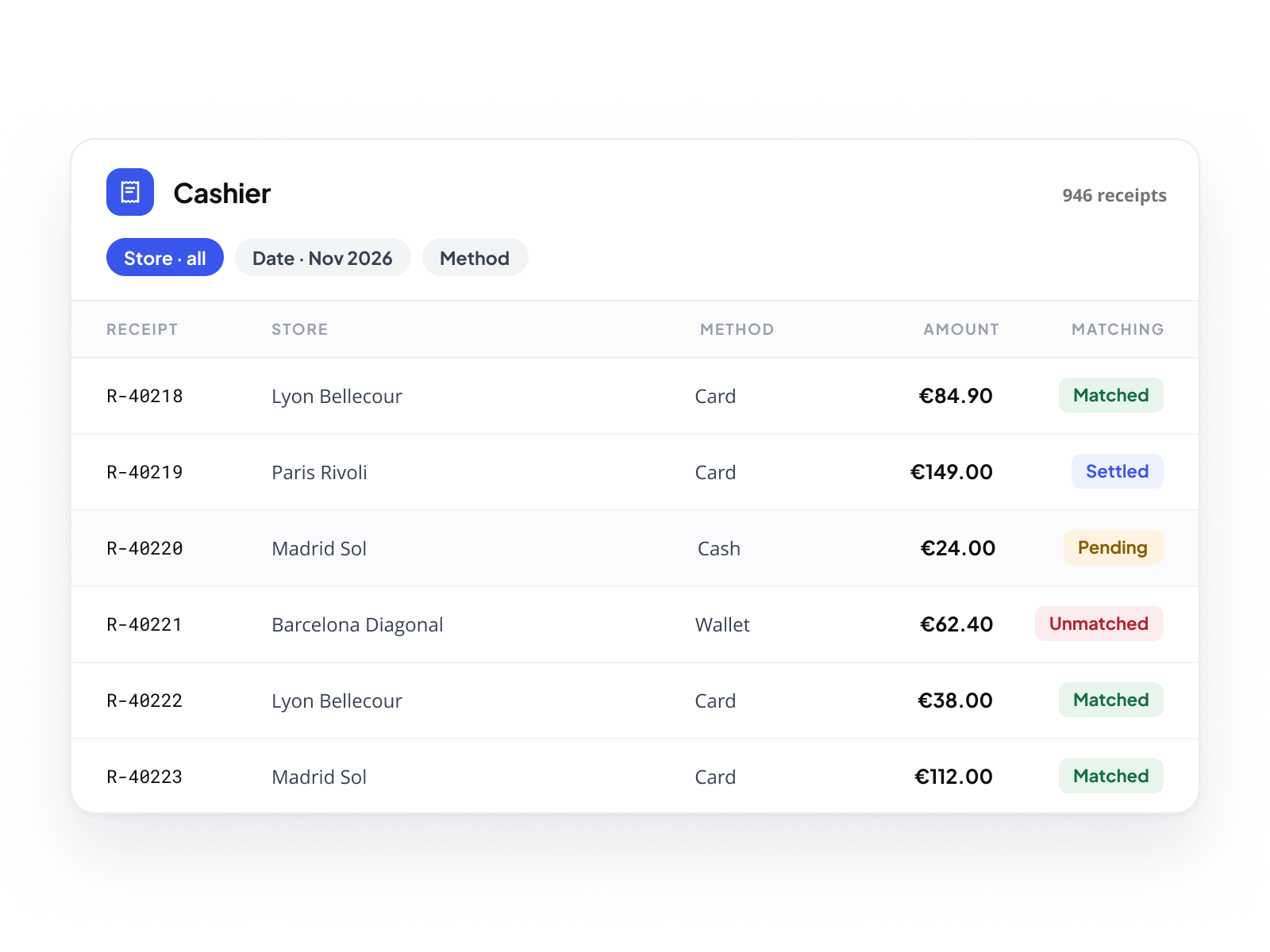
Cashier
The Cashier view holds the receipts from the cashier system, the ground truth for what was sold and paid in-store. Each receipt shows its matching status: Matched, Pending, Unmatched, or Settled. Merchants running multi-store operations, multiple time zones, or mixed payment methods see all records in a unified table, filterable by store, date, and method.
Matcher™. 99.99% automatic.
Standard transactions match automatically, matched by shared reference, or by amount, store, method and date when no reference exists. Matcher™ is built for the cases that don't match on their own, and there are more of them than you'd think.
icône

Multiple notifications, one transaction

One sale, several terminal notifications. Matcher™ aggregates them. It confirms the match when their combined amount equals the receipt.

icône

Split payments

One ticket, two payment methods, card and digital wallet, or two cards. Each generates its own notification against a single cashier record. Matcher™ links them when the combined total matches.

icône

Partial matching

The amount arrives in several parts. One match covers part of it, the rest stays pending. Matcher™ completes the operation when the remaining amount lands.

icône

Standalone refunds

A refund that isn't tied to an obvious sale. Matcher™ finds the original payment by reference, or by amount, store and date, and links the two.

icône

Delayed or partial refunds

A refund lands days later, for part of the amount. Matcher™ flags the gap and surfaces the original record. Finance teams get the context to confirm or defer.

icône

Offline and out-of-order data

The terminal processed offline, or the receipt arrived first. The notification follows hours later. Matcher™ matches it against the record on a date window, not on real-time timing.

icône

Sales without a notification

Some tickets never generate a payment notification, a cancelled sale for example. Matcher™ detects these automatically and matches them with a dedicated reason, so they never surface as false exceptions.

icône

Conflicting identifiers

Two records carry references that don't agree. When the data offers no clean match either, Matcher™ leaves the line unmatched rather than force it, so only confident matches  reach the totals.

icône

Nothing resolvable yet

Some cases can't close on the spot. Matcher™ holds them with a reason and a comment. Match Later keeps them pending, Withdraw excludes them, both stay traceable.

When a match isn't ready. Or isn't possible.
Not every unmatched transaction can be resolved immediately. A notification hasn't arrived yet. A complex scenario requires time to investigate. Or the match is simply not possible, and the transaction has to be written off and excluded from the day.
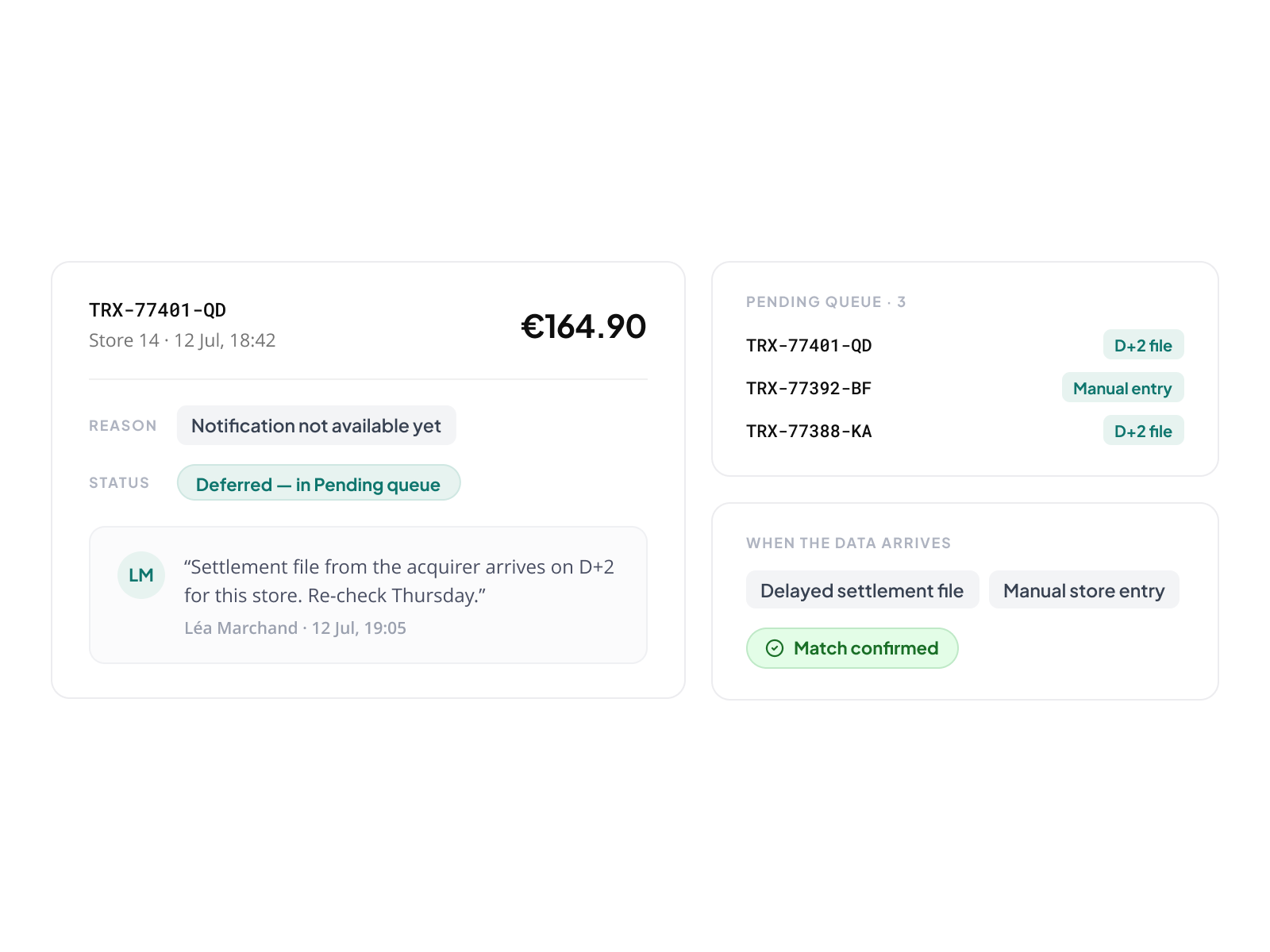
Match Later
When the right notification isn't available yet, a transaction can be parked with a reason and a comment. It stays visible in the Pending queue. When the missing data arrives, a delayed settlement file, a manual entry from the store, the match can be confirmed. Nothing is silently dropped. Every deferred case is traceable, with the context left by the person who deferred it.
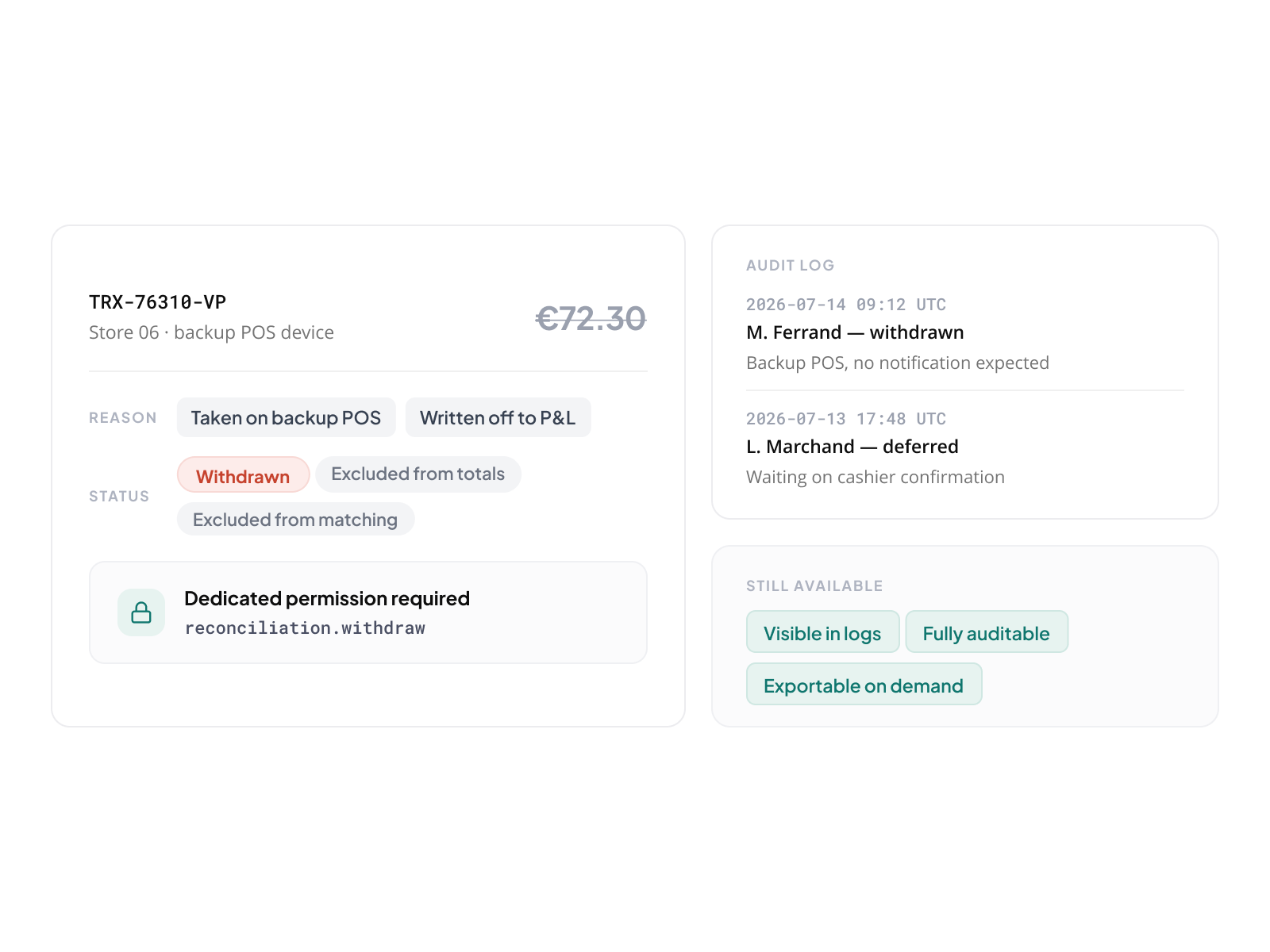
Withdraw
When a transaction will never find a notification, a payment taken on a backup POS device, an amount written off to profit and loss, or a cashier discrepancy that prevents matching, it can be withdrawn with a documented reason. Withdrawn transactions are excluded from totals and from further matching. They remain visible in the logs. They do not disappear. Withdraw requires a dedicated permission, and every withdrawal is logged with timestamp, user, and reason, fully auditable, exportable on demand.
Retail and e-commerce. The same platform.
For merchants who operate both channels, the data problem is as significant as the payment problem. Revenue across 40 boutiques and 8 e-commerce markets. Fees from 5 providers, some retail, some online. Chargebacks from both channels. Until now, consolidating this picture required manual assembly. On NORBr, it comes together automatically.
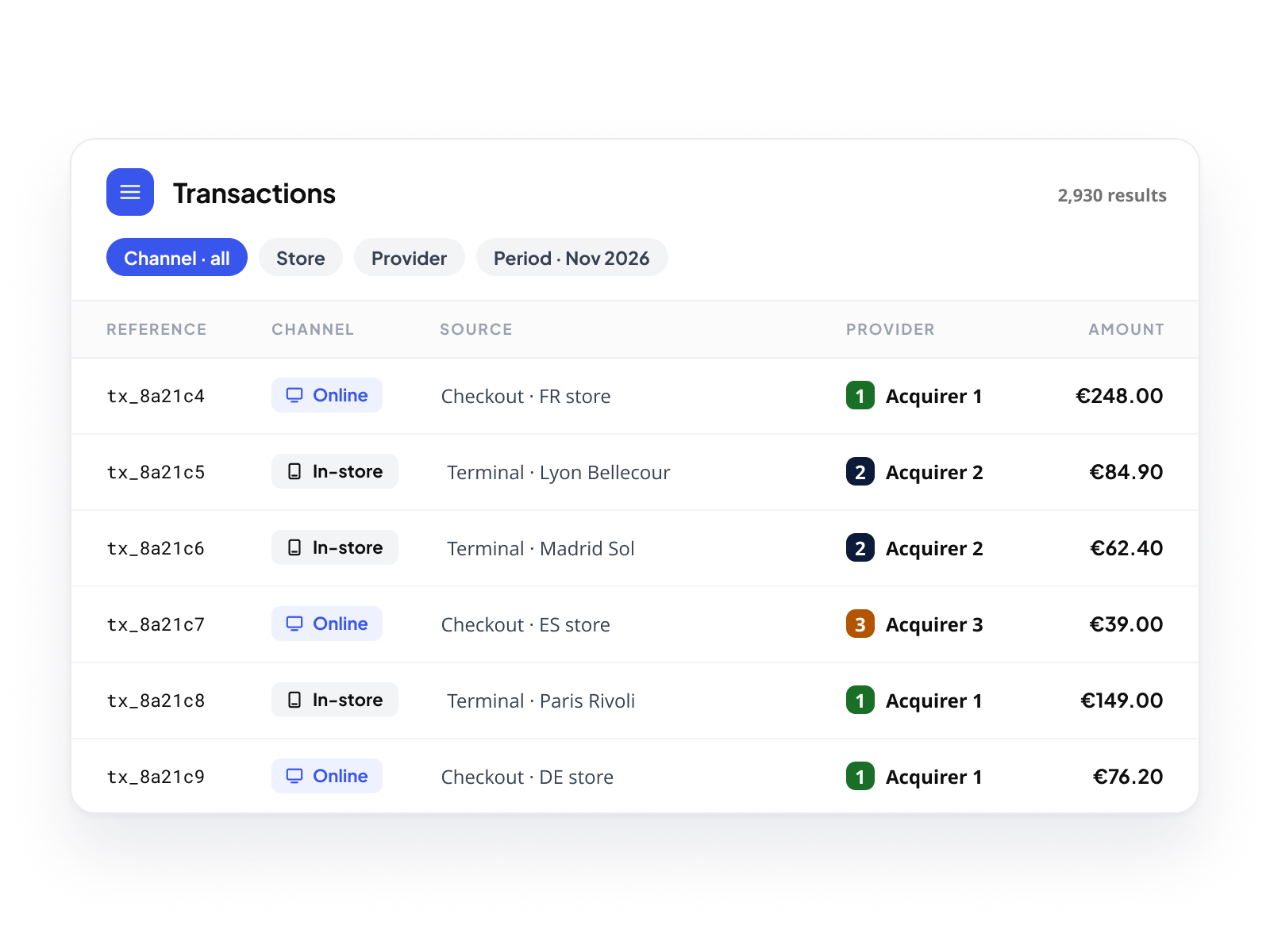
A unified view of every transaction
Orders from the online checkout and payments from the terminal sit in the same transaction table, under the same filters. Your merchants build their view, by channel, by store, by provider, by period, without switching tools or exporting data. The full picture is always one query away.
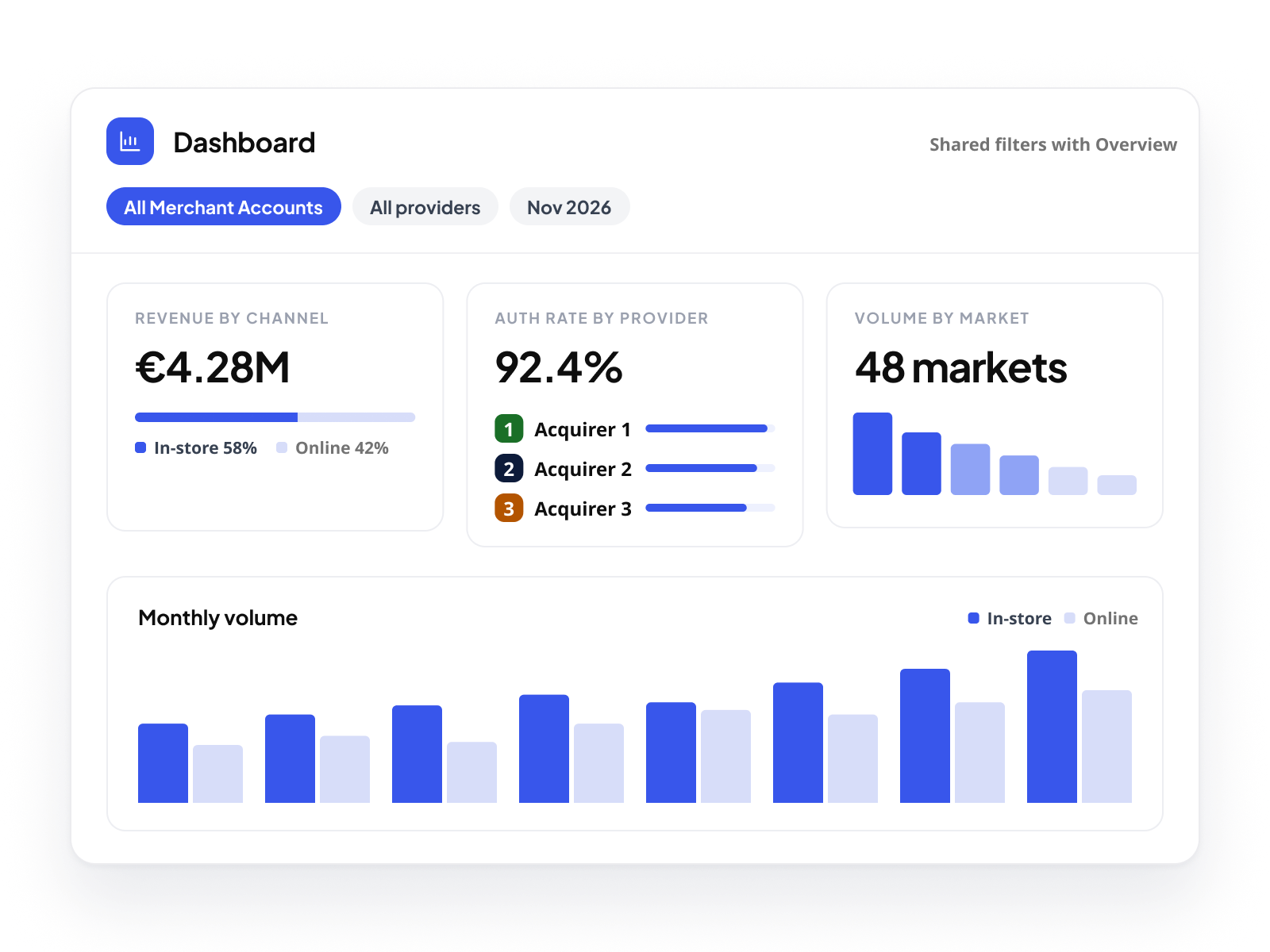
Analytics across every flow
The Dashboard and Overview cover all activity, in-store and online, across all Merchant Accounts, all providers. Your merchants build their own KPIs: revenue by channel, authorization rate by provider, volume by market. They track what matters to their business, not what a generic report decides is relevant. Shared filters between Dashboard and Overview keep the analytical context consistent.
Financial visibility across all providers
Every fee, every settlement, every financial movement, from every provider, retail and e-commerce, is visible in the Finance view. Your merchants see the full cost of their payment stack, consolidated. No partial picture. No chasing provider dashboards for settlement data.

Every transaction. Every channel.  One platform.

Your merchants stop managing two worlds.  NORBr brings them together.

Book a demo