Merchant onboarding,

out of the inbox.

From the first invitation to the first transaction.

Onboard takes every merchant from invite to live, with every document and every question in one place. You run it under your brand. Your clients can run it under theirs.

Book a demo
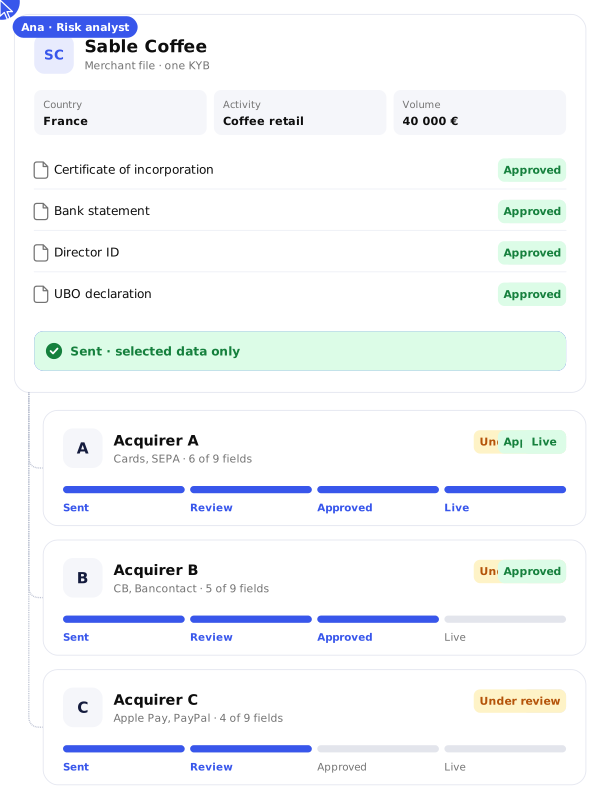
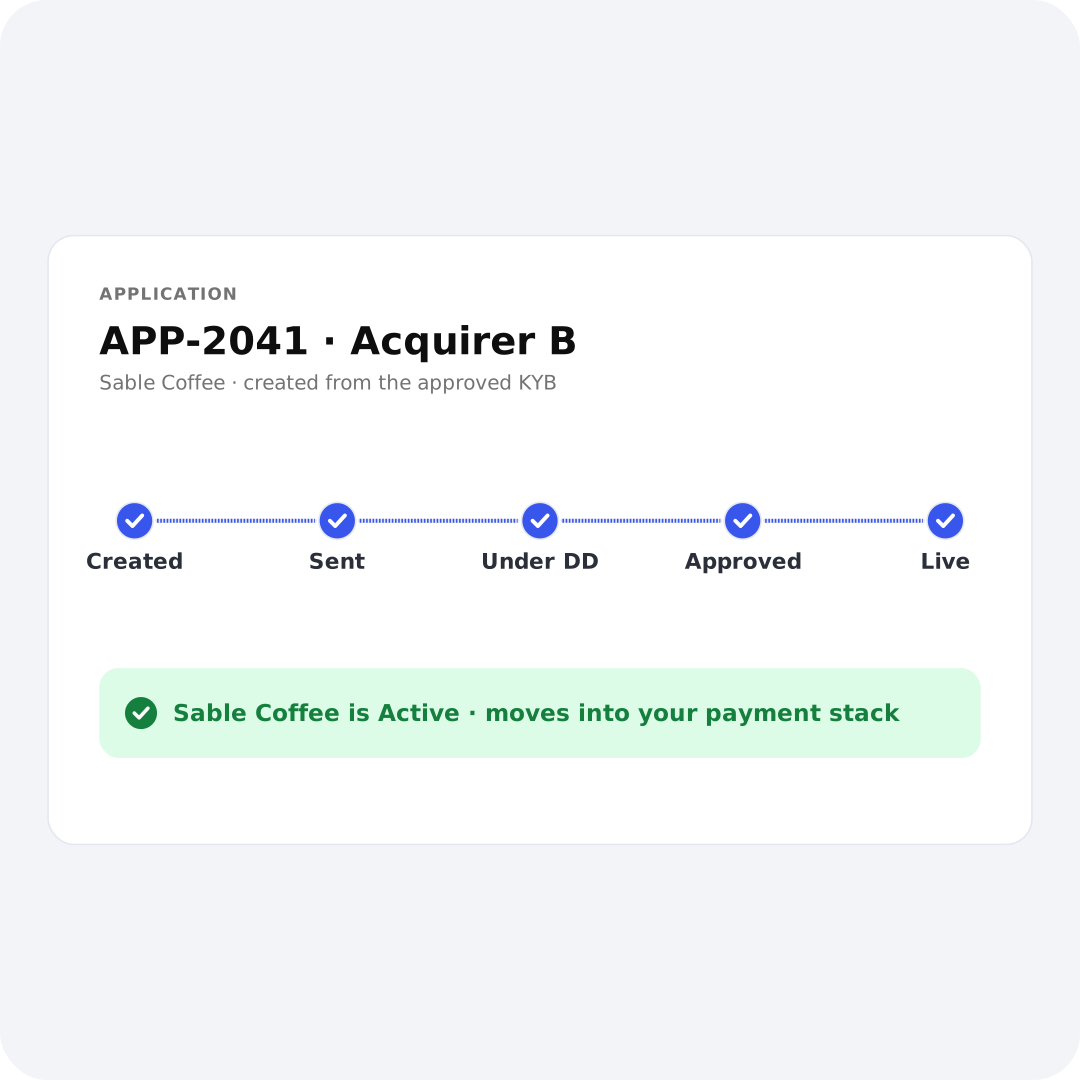
One merchant file sent to three acquirers, each application tracked from Sent to Live
Onboarding starts in a form. Then it falls back to email.
The merchant fills out your online form. The moment your team has one more question, the file moves to an inbox: attachments scatter, threads fork, documents get lost, and nobody can say how long an answer took. Onboard keeps the whole file where the work happens.
25 MB
Where most email attachments stop. Heavier files leave your audit trail through expiring transfer links.
NORBR
0
SLA visibility once a file moves to email. Nobody measures time-to-answer per merchant, per analyst, per partner.
NORBR
∞
How long a merchant's passport survives in a mailbox. No retention policy reaches it.
NORBR
Everything the process needs.
Already built.

Onboarding a merchant is more than a form. It needs invitation links, an introducer network, a qualification step, a full KYB questionnaire, a document vault, a message thread per file, applications per partner and a status model everyone can read. Onboard provides each of these, configured from your program.

Branded portal
Branded portal
Separate programs
Separate programs
Prequalification
Prequalification
Introducer accounts
Introducer accounts
Owner and status per file
One application per partner

Four portals. One file.

Everyone who touches an onboarding file works in the interface built for their role, and they all read the same file. Your team runs the program. Your introducers bring merchants in. Your merchants fill in their own information. Your payment partners review what you send them. One record, four points of view.
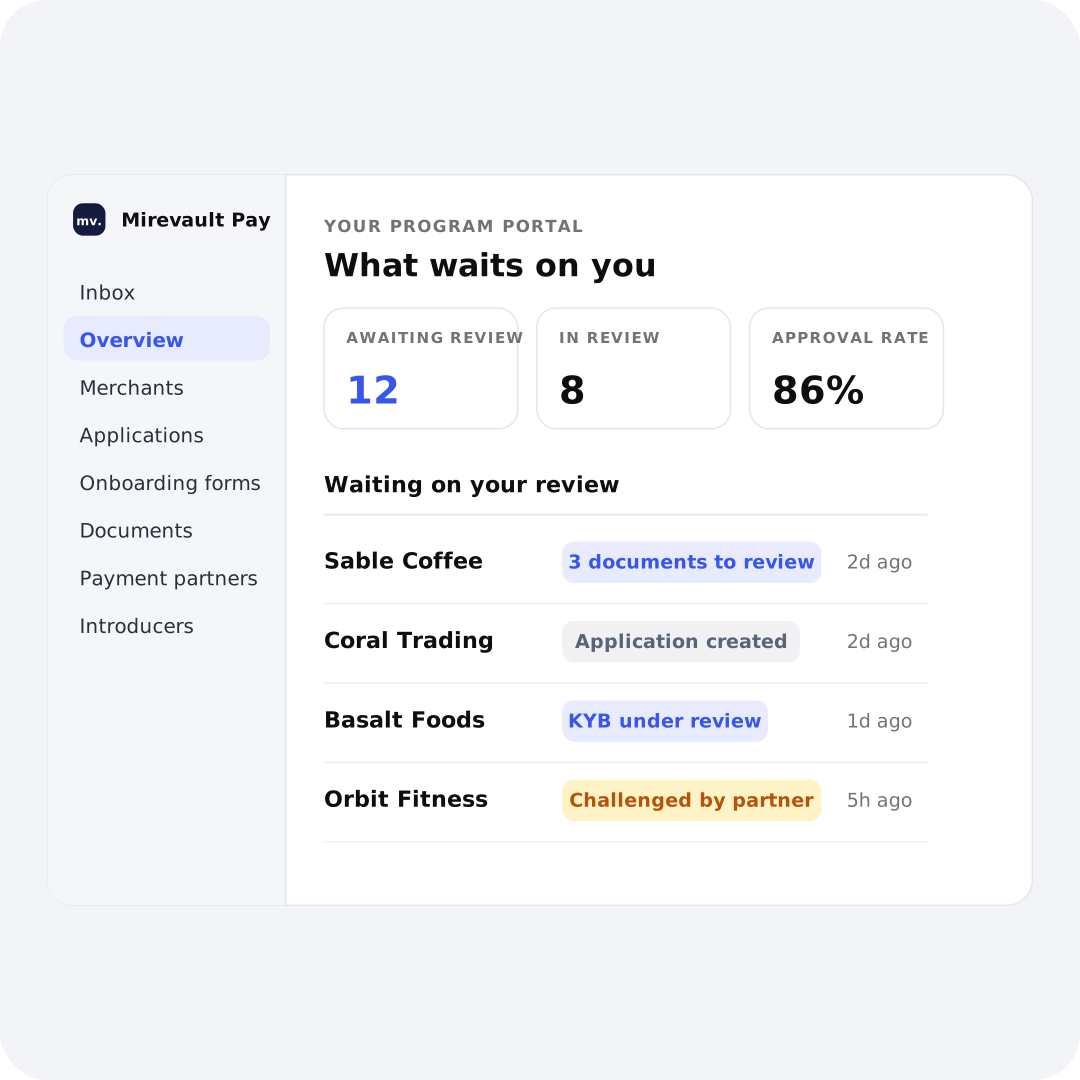
Program portal overview with files waiting on review
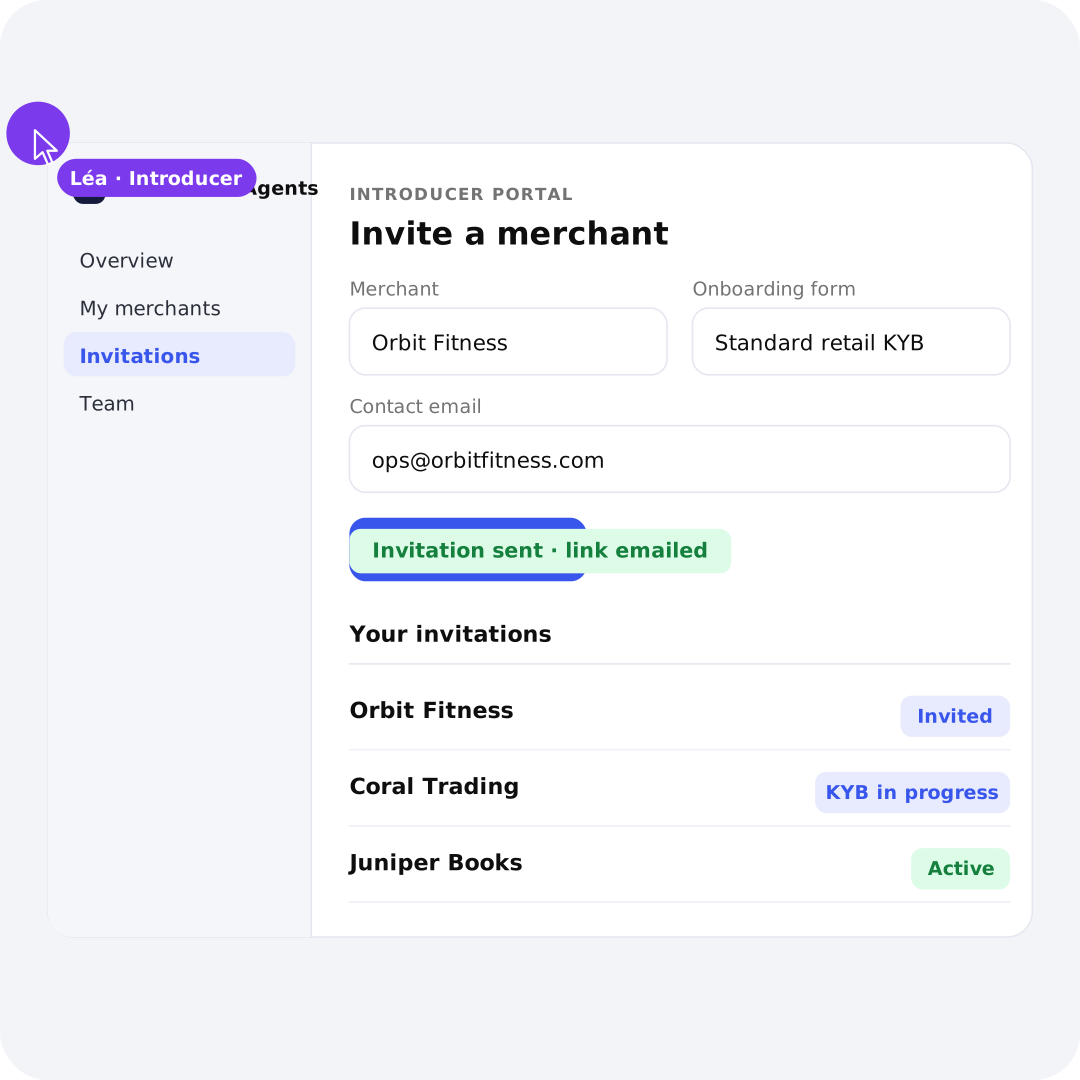
Introducer portal inviting a merchant
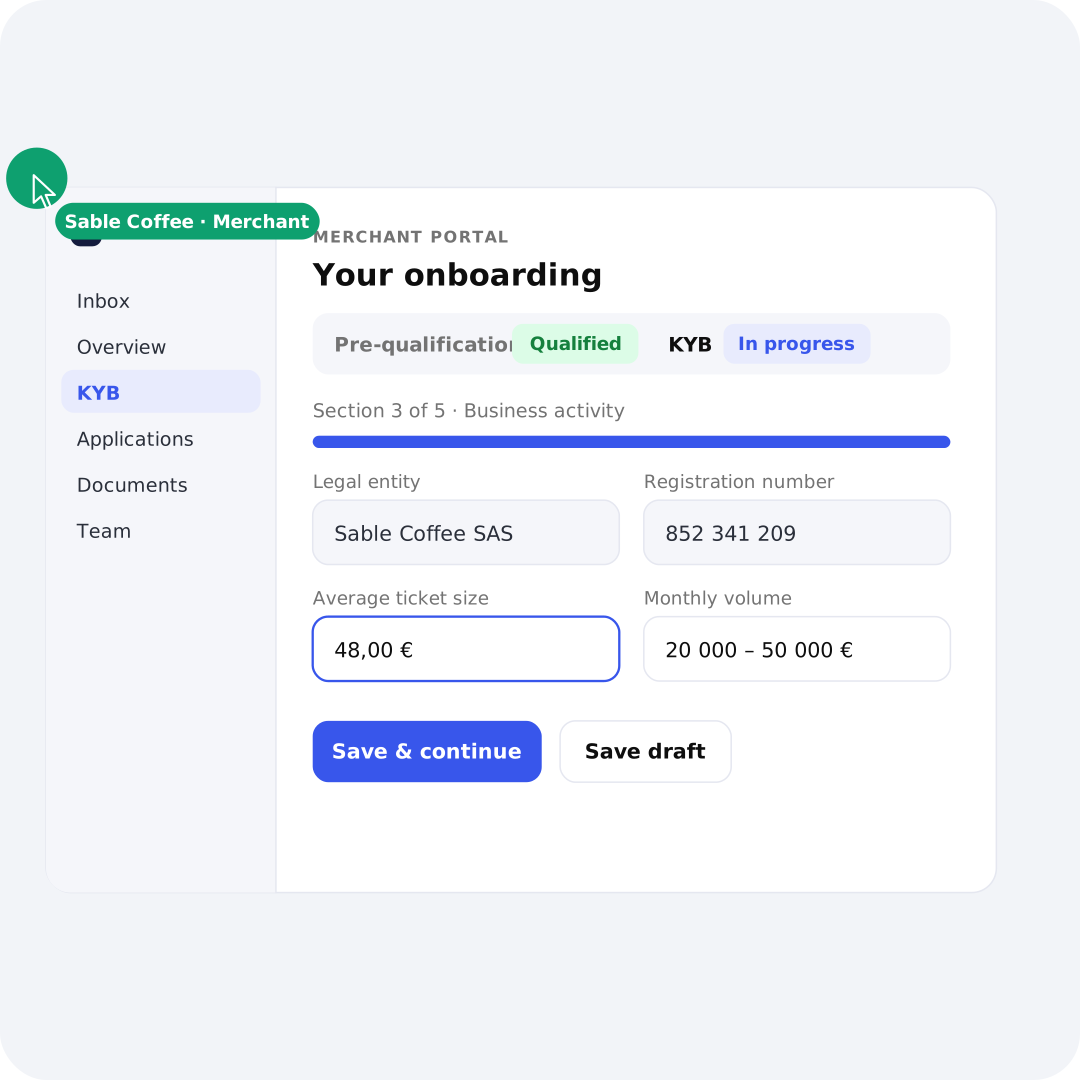
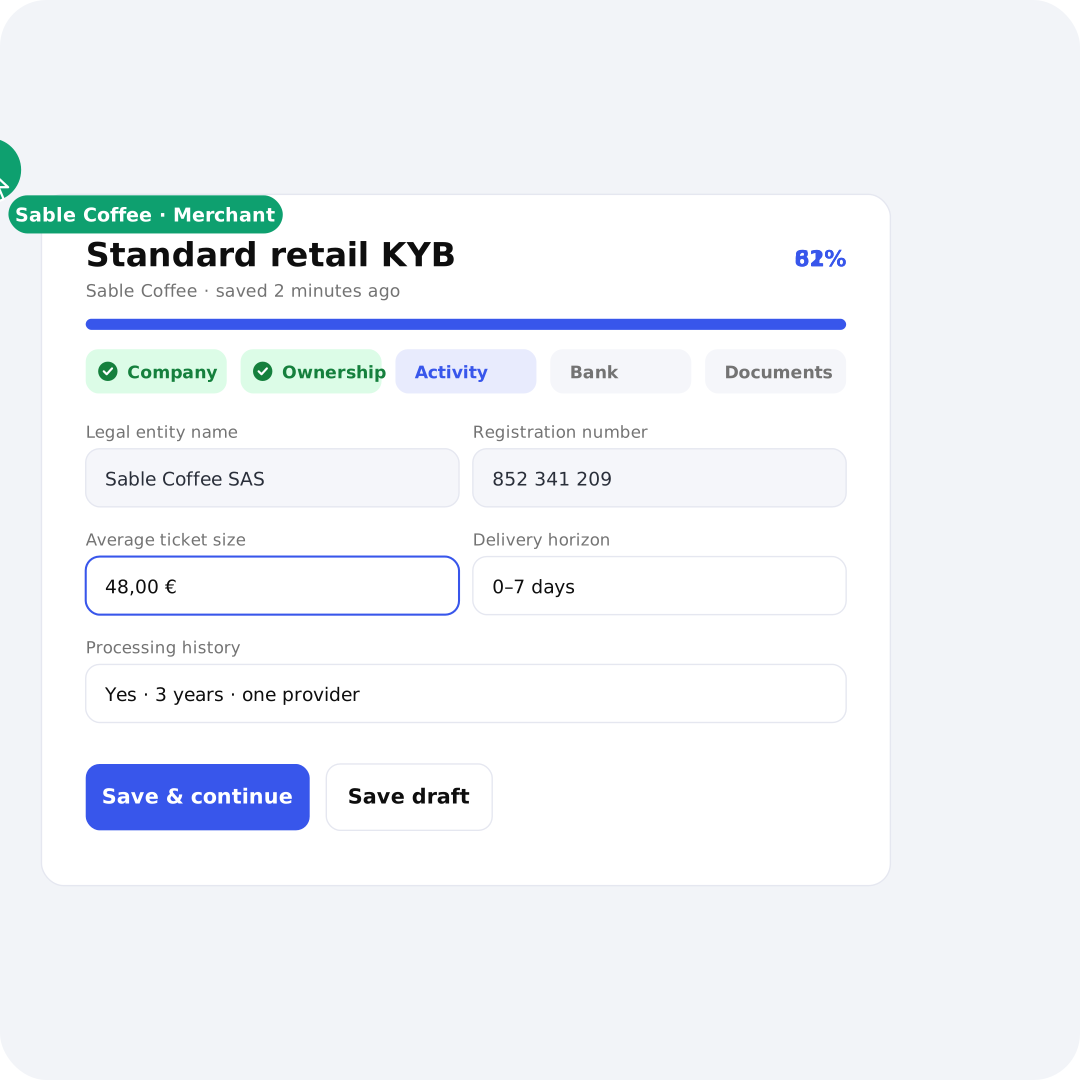
Merchant portal completing the KYB questionnaire
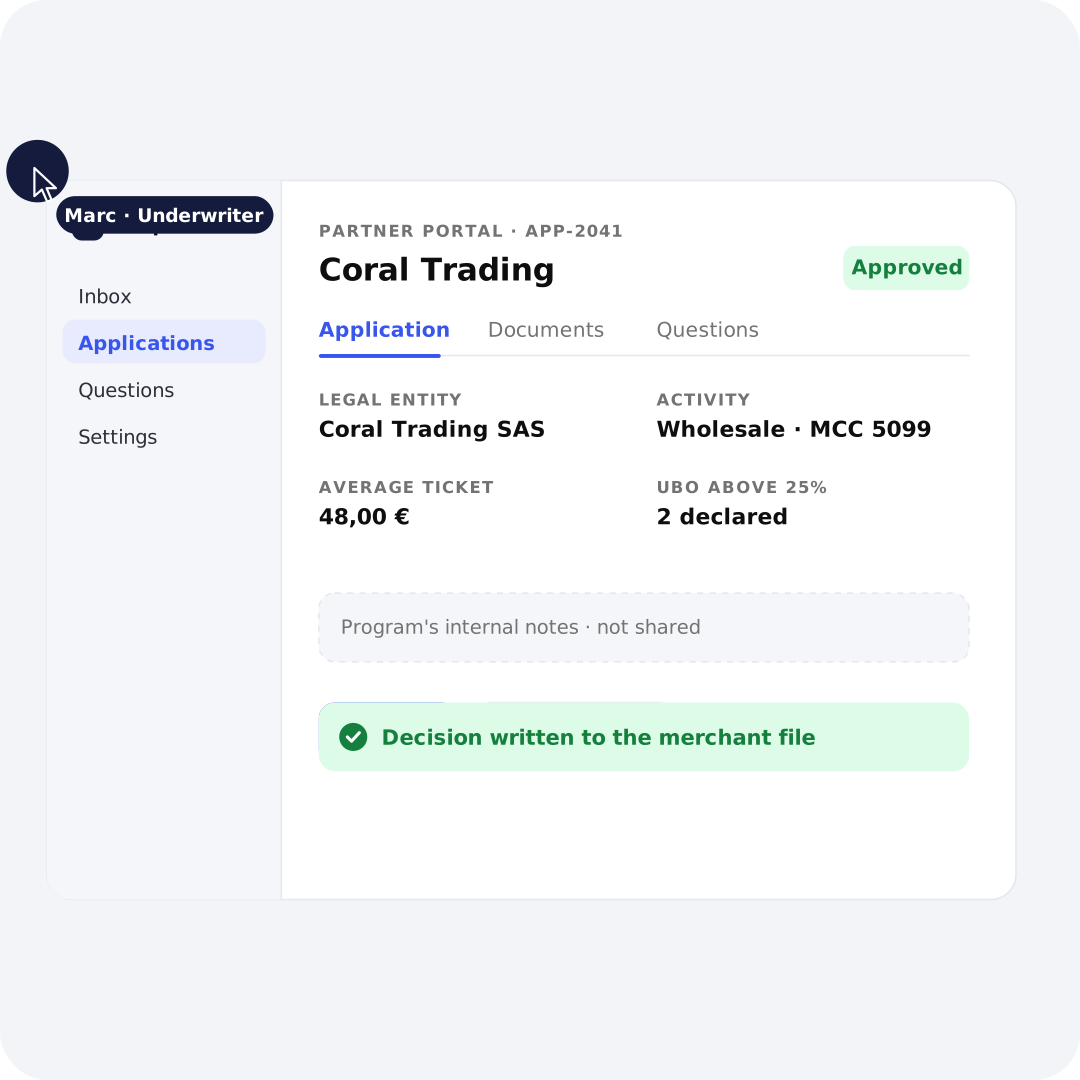
Partner portal approving an application
Your program portal
Your team creates forms, invites merchants, reviews files and generates applications. The overview shows what waits on you and what waits elsewhere.
Your introducers
Each agent gets an account and generates an invitation link per merchant. You see who brought which merchant, and what happened to it since.
Your merchants
Merchants complete their questionnaire, upload their documents and follow their applications. They manage their own users and their own contacts.
Your payment partners
Partners open the applications you route to them in their own view: the application, and only the application. Their questions join the same thread.

Under your brand.

Or your clients'.

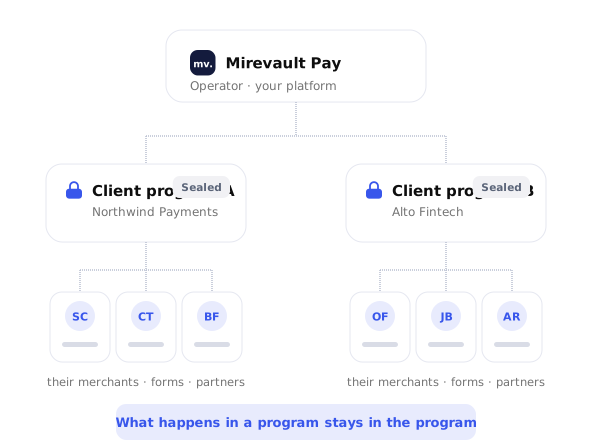
You run onboarding for the merchants you sign. You can also open a program to a client of yours and let them run it for theirs, under the brand you agreed on, with their own forms, their own partners and their own users. Each program stays sealed from the others, and the infrastructure underneath stays out of sight.
Globe icon
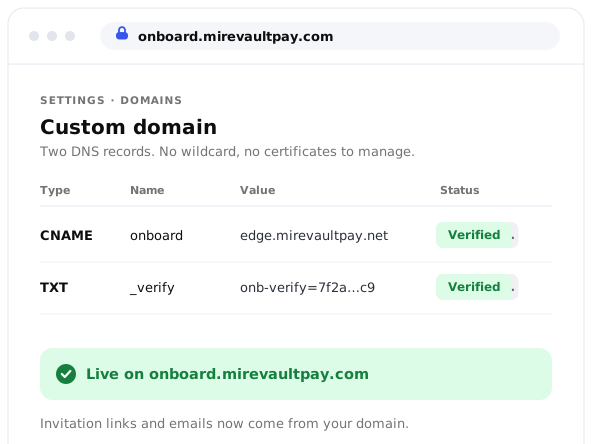
Your domain, two DNS records
Run it on your own domain with two DNS records. No wildcard, no certificates to manage. Invitation links and emails come from your program.
Custom domain settings with two verified DNS records
Palette icon
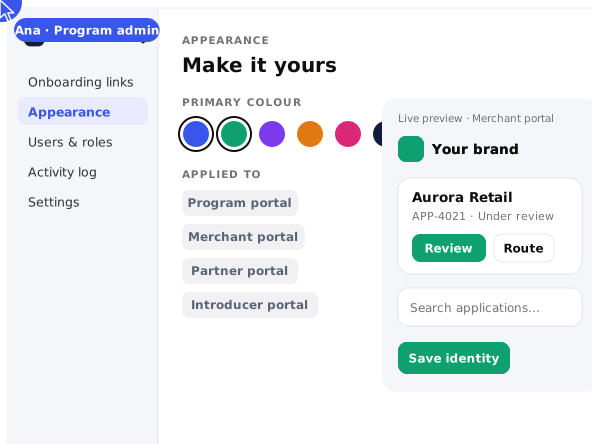
Every portal, one theme
Logo, colours and tone applied to the admin, merchant, partner and introducer portals from one place. Several branding sets if you run several fronts.
Appearance settings applying one theme to every portal
Network icon
Your clients run their own programs
Open a program for a client and they onboard their merchants inside it. Their forms, their partners, their users. What happens there stays there.
Operator platform with two sealed client programs and their merchants
Panels icon
One environment, start to finish
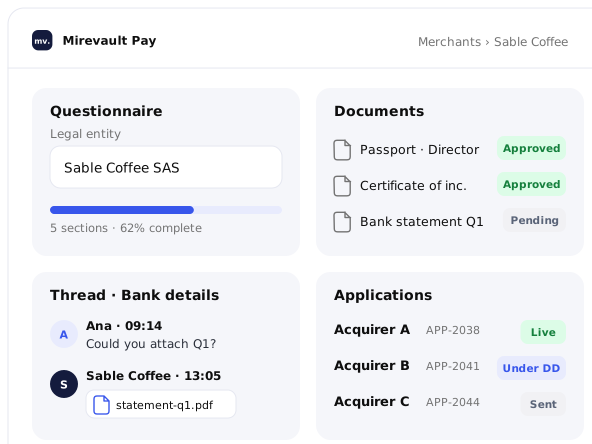
Questionnaires, documents, messages and application statuses live in the same branded space, at every level of your structure.
Merchant file with questionnaire, documents, thread and applications in one view

From invitation to live merchant.

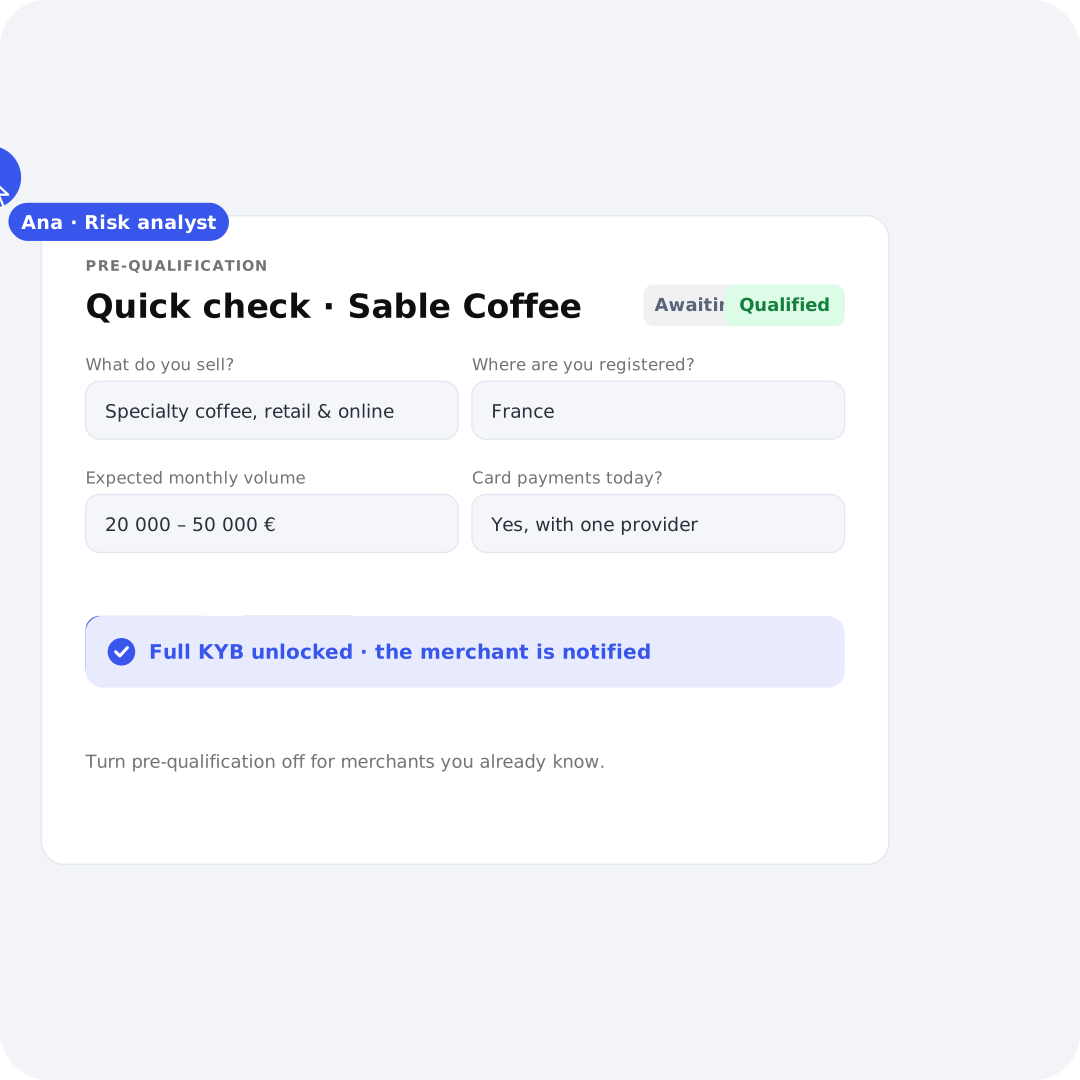
Five steps, one file. Prequalification is optional. Turn it off for programs that sign merchants they already know.
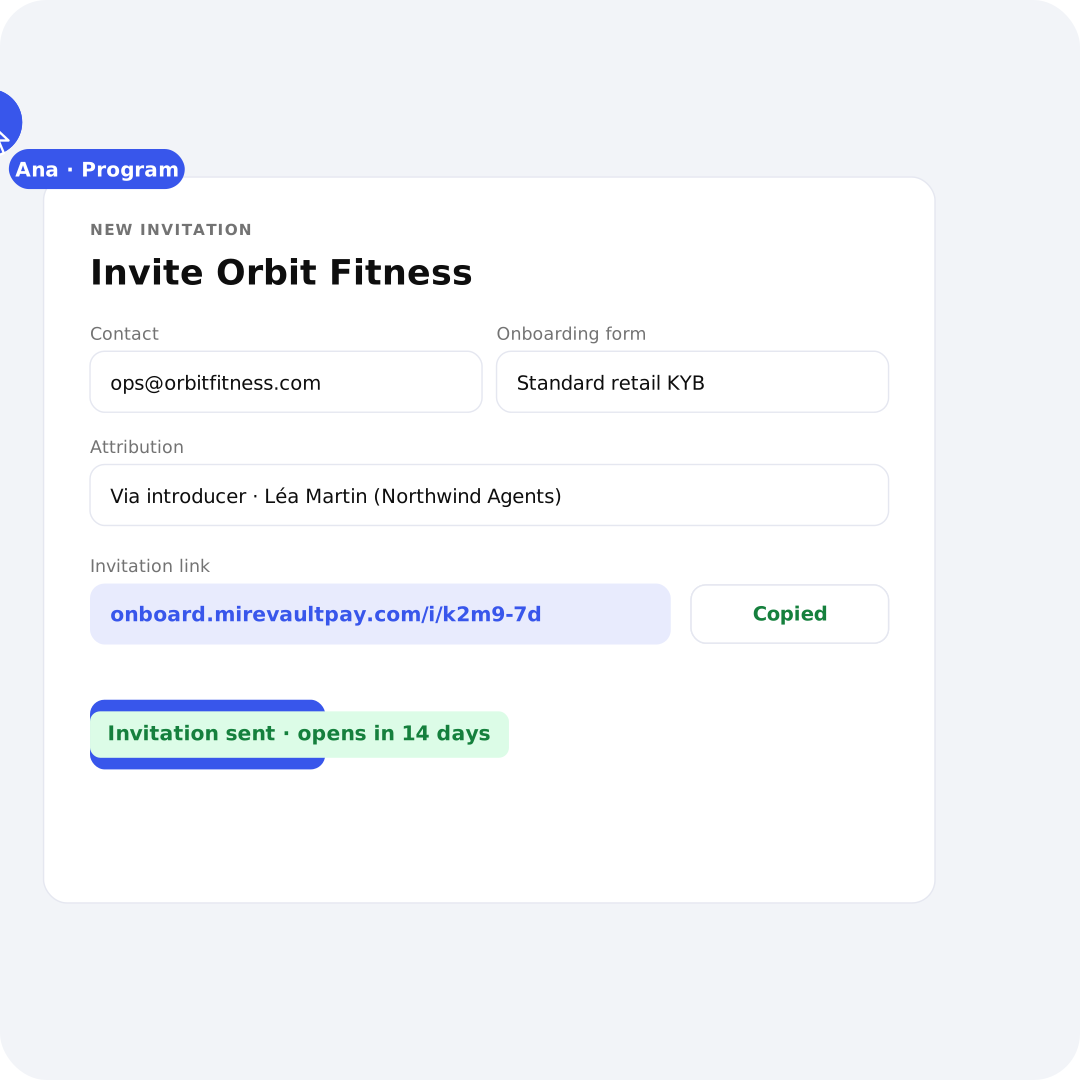
New invitation form with a copied invitation link
Prequalification quick check being qualified
Merchant filling in the standard retail KYB form
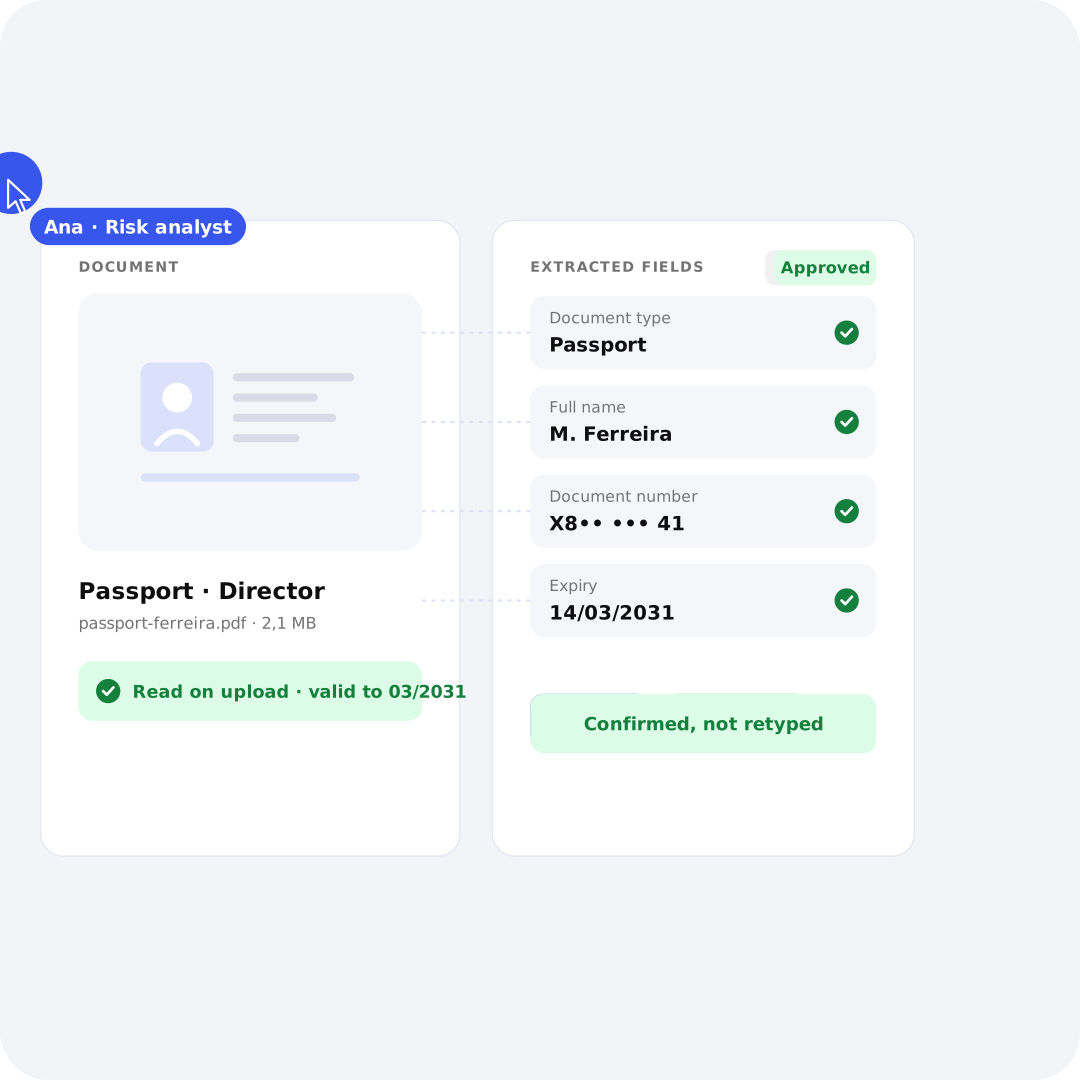
Document review with extracted fields beside the passport scan
Application lifecycle from Created to Live
1 • Invite
Send a link, directly or through an introducer.
2 • Qualify
A short form first. The full KYB unlocks for merchants you qualify.
3 • Apply
The merchant completes the form that matches its business profile.
4 • Review
Answers and documents side by side. Challenge what is weak, ask in the file.
5 • Go live
Send the approved merchant to your partners and follow each application to Live.

Nobody's holiday

stalls a merchant.

When a file lives in a personal mailbox, work stops when its owner does. In Onboard, every merchant has an owner, a status and a visible next action, so anyone on the team can pick up the file. What came back, what is still open, who is holding the pen: all readable at a glance.
User check icon
An owner on every file
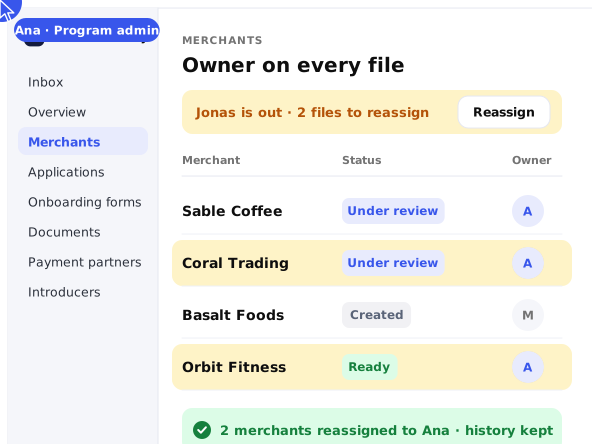
Reassign merchants to a new owner in one click when someone is out. The full file moves with them, and the history stays.
Merchant list with owners being reassigned in one click
List checks icon
Statuses that keep the pipeline honest
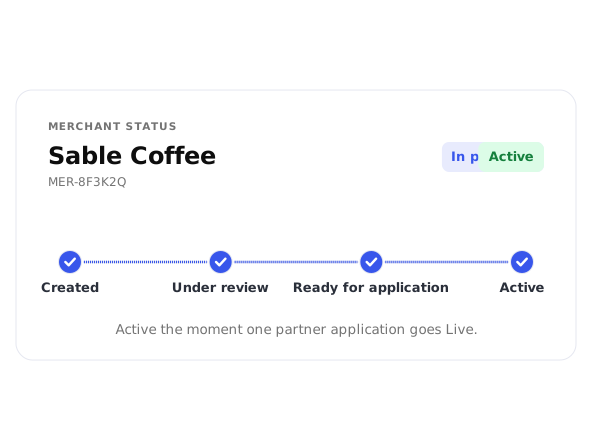
From Created to Ready for application, then Active the moment one partner application goes Live.
Merchant status progressing from Created to Active
Timer icon
Time-to-answer you can measure
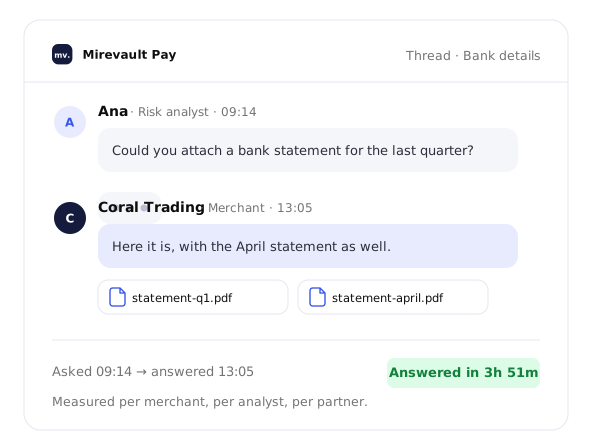
Every question is timestamped. You see how long an answer took, per merchant, per analyst, per partner.
Timestamped question and answer thread in the merchant file
Lock icon
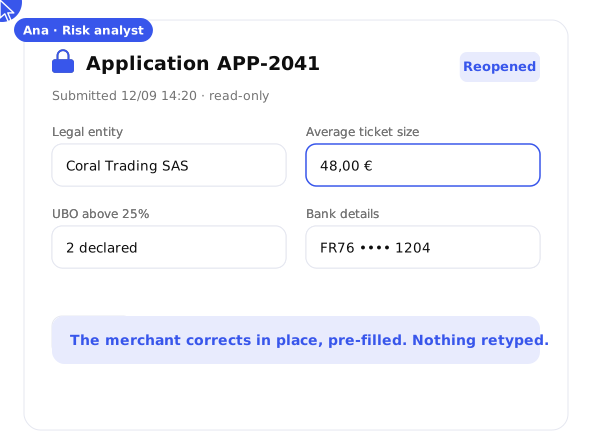
Frozen once submitted
A submitted application locks read-only. Your team reopens it, and the merchant corrects in place, pre-filled.
Locked application reopened for correction
Standalone, or part of your stack.
Onboard runs on its own. Use it to bring merchants onto acquiring relationships you already hold, with no payment platform underneath. When you also run your platform on NORBr, an approved merchant moves into your payment stack carrying the information you already collected. Configuring that account is what Payment Stack & Activation covers. What a merchant is asked along the way is yours to decide. Each program builds its own questionnaires from a shared library, and building them is what KYB Forms & Questionnaires covers.

Frequently Asked Questions

The fastest onboarding is the one
nobody has to chase.

You set the workflow. Your merchants follow it. Your partners get what they need.

Book a demo