One KYB.
Every partner.
Your merchant fills it in once. You decide who sees what.
KYB the merchant once, then apply to as many payment partners as the profile needs. Each application carries the information you chose to share and runs its own lifecycle, tracked in the same file.
Book a demo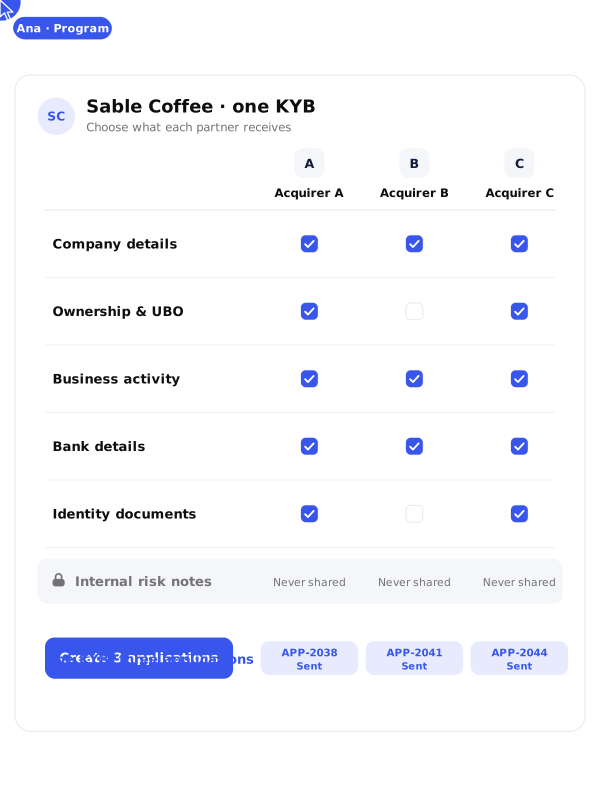
One file in.
Many applications out.
Many applications out.
The merchant record and the application are two different objects, and keeping them apart is what makes the model work. The merchant answers once. The application is what travels: attached to one partner, carrying a defined subset of the file, with its own status and its own review history.

One merchant record, one KYB
One application per partner
Data selection per application
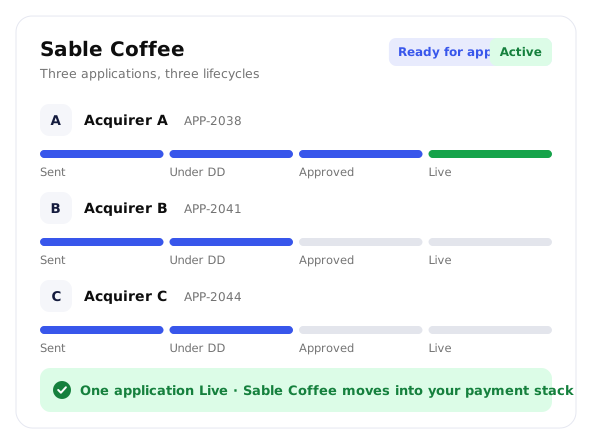
Independent status per file
Partner review in the platform
Follow-up questions in the file
A direct line
to your partners.
An application reaches the team that reviews it. You configure your payment partners in your program, each one gets its own access, and the files you route arrive complete. The decision stays theirs. What you control is how fast a complete file gets in front of them, across the network described in Global Payment Network.

Applications land where they are reviewed
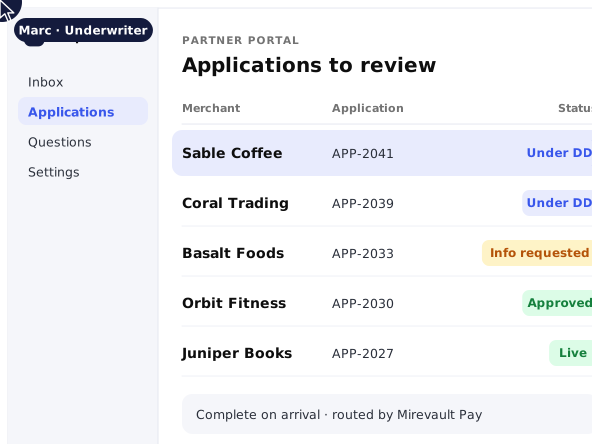
Each partner opens your applications in its own portal and works them there. One place to submit, one place to follow.

Their view is the application
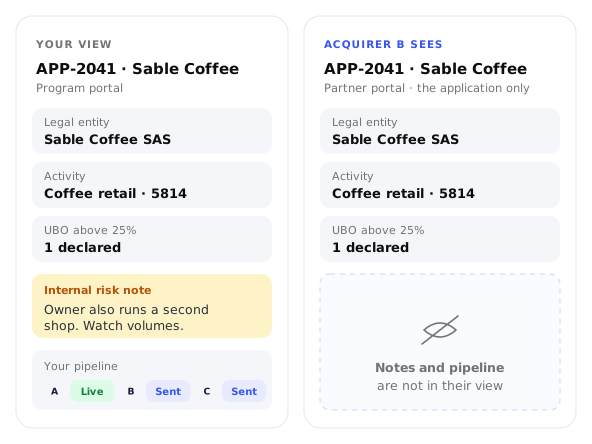
Partners work in their own view: the application, and only the application. Your internal risk notes and your pipeline stay yours.

From Sent to Live
Follow each application from Sent, through due diligence, to Live. A merchant goes Active the moment one application does, and moves into your payment stack.
Share what
the partner needs.

Selective by design
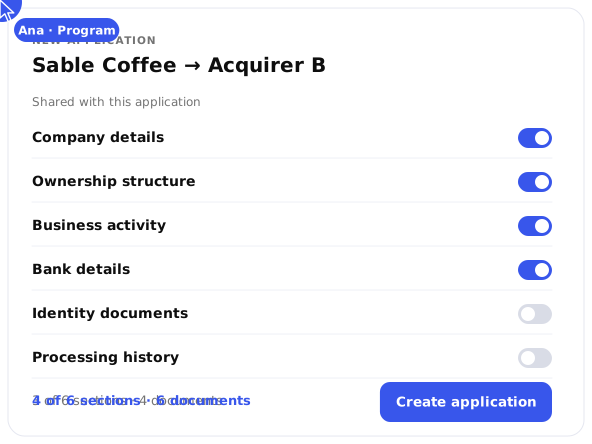
When you create an application you choose what goes with it. A partner that needs the ownership structure gets it.

Transfers you can account for
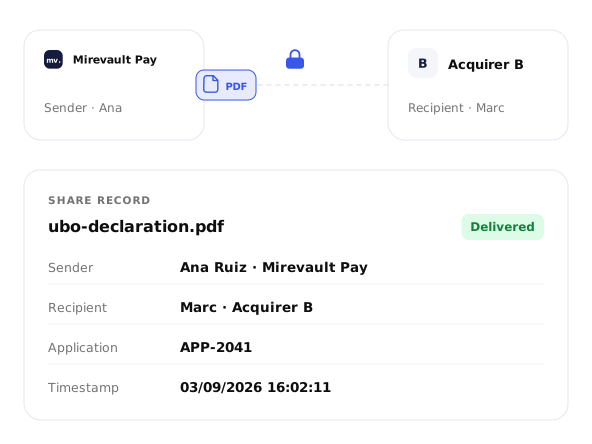
Documents travel inside the platform to a named partner. Every share carries a sender, a recipient and a timestamp.

Your partner list stays yours
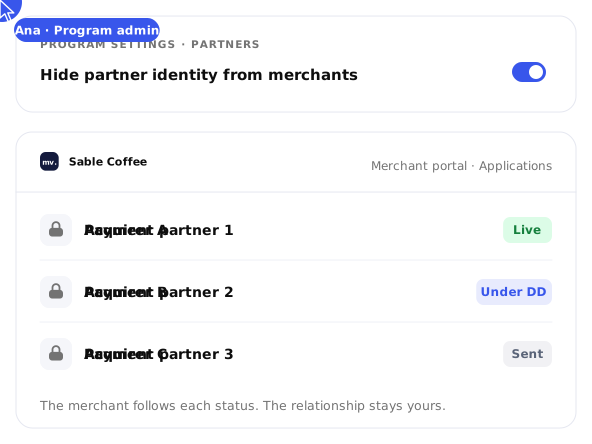
Partners are configured per program, and programs that keep their acquiring relationships private can hide their identity from the merchant view.
The conversation
stays in the file.
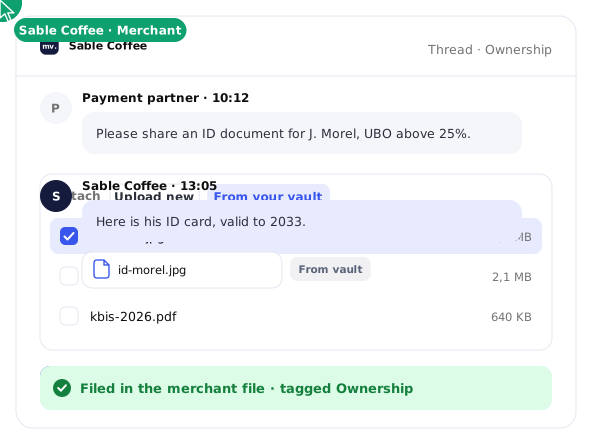
When your analysts or your partner need one more thing, the question is asked in the platform, and the answer, with its documents, lands in the merchant's file. Every message and document is tagged, searchable and visible to the whole team. One thread per topic, on the record.

Partners ask in context
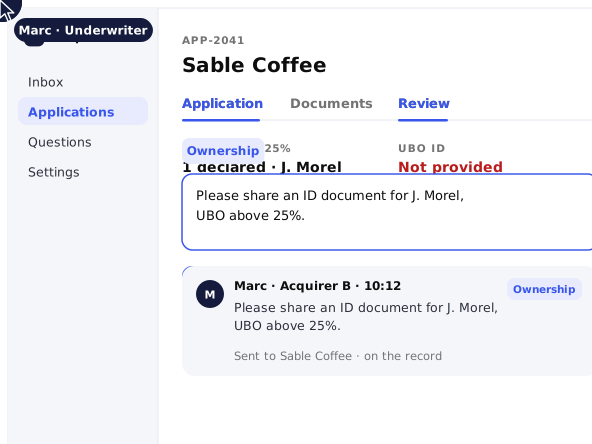
A partner opens an application, switches to review, and asks for what is missing without leaving it.

Merchants answer with the document
The merchant replies in its own portal and attaches a new document, or one already in its vault. No size limit.

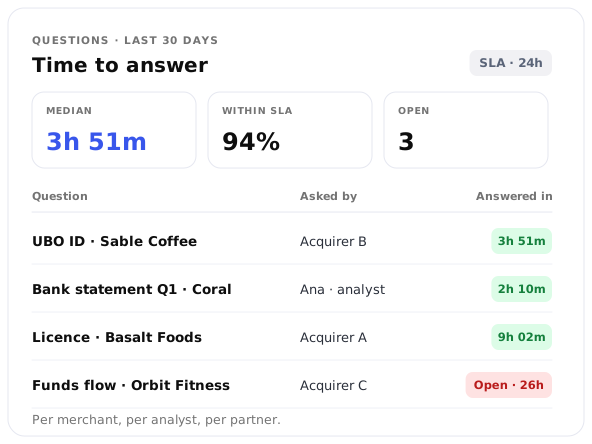
Time-to-answer against an SLA
Every question and answer is timestamped. You finally measure response time per merchant, per analyst, per partner.
Into the systems you already run.
Onboarding events reach your own systems as they happen. A file submitted, an application approved, a document challenged: send each one to your CRM, your risk tool or your internal database. Event delivery follows the signed webhook model described in Developer & Event Infrastructure. Run Onboard on its own, or connected to the payment platform underneath it. Applications behave the same either way.