Your industries.
Your questions.
A travel merchant and a gaming merchant answer different questions.
Build as many onboarding forms as you have merchant profiles, by activity, risk level or region, from a library of questions you reuse. Compliance writes them. Program teams assemble them.
Book a demo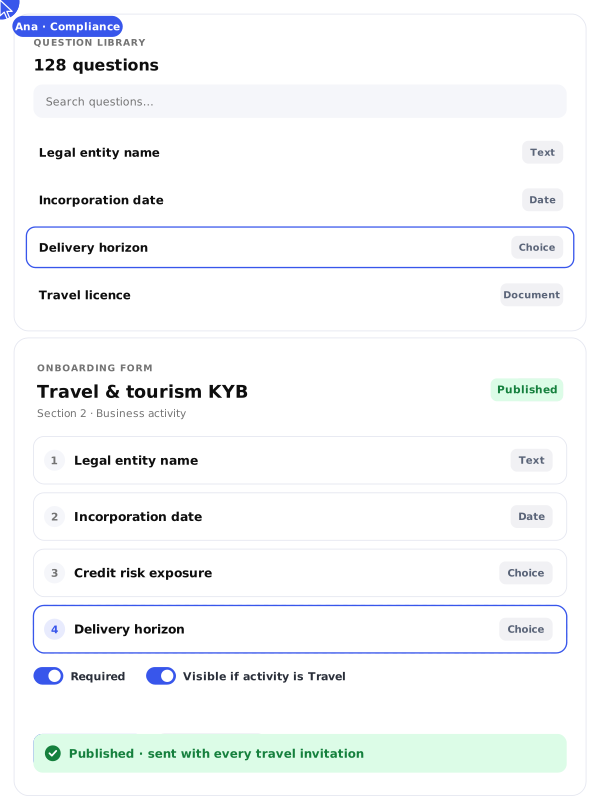
One library.
Every questionnaire.
Every questionnaire.
Risk lives in the detail of a business model, and one generic form misses it. Questions here are objects, and forms are made of them. You write a question once, give it a label, a type, a helper text and a rule, then place it in as many questionnaires as you need.

Reusable question library
Text, choice, date, document
Helper text on any question
Required and visible rules
Live preview while you build
Reorder at any time
Build the form,
see it as they will.

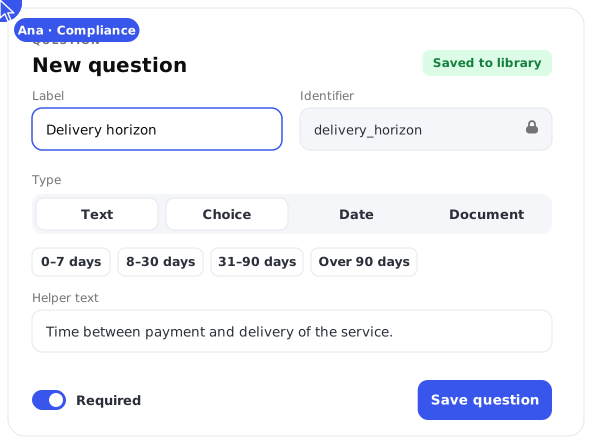
Write the question
Give it a label, a type, and the helper text that prevents the wrong answer. A stable identifier keeps the answer traceable.

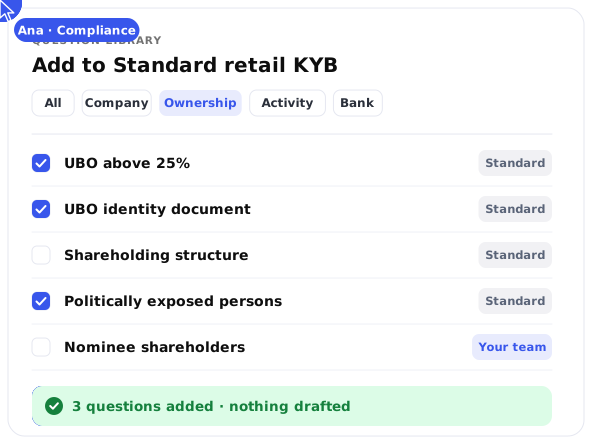
Pull from the library
Standard KYB questions are ready to use, and the ones you write join them. Assembling a form becomes selection rather than drafting.

Preview before you send
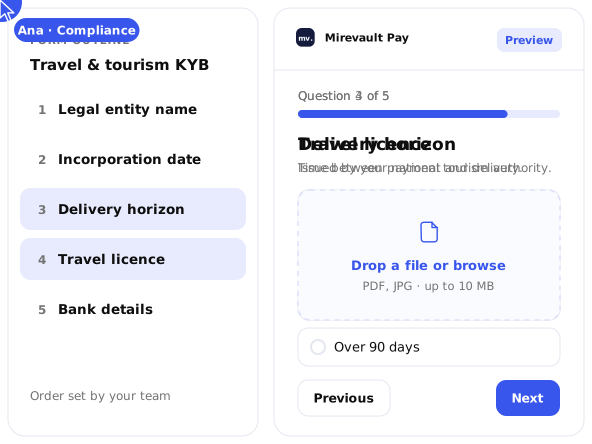
The preview shows what the merchant will see, question by question, in the order you set. What you validate is what lands.
One form doesn't fit
every merchant.
Ask a marketplace and a coffee shop different questions, and keep every answer structured for review. A travel merchant answers on credit risk and delivery horizon. A retail merchant answers on stock and locations. You build one form per profile and send the right one once you know who you are dealing with. The same holds one level down. A client serves a different merchant mix and builds the forms it calls for, from the library you seeded.
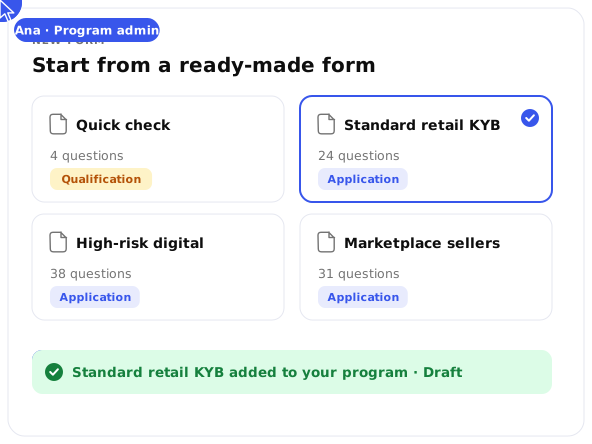
Quick check
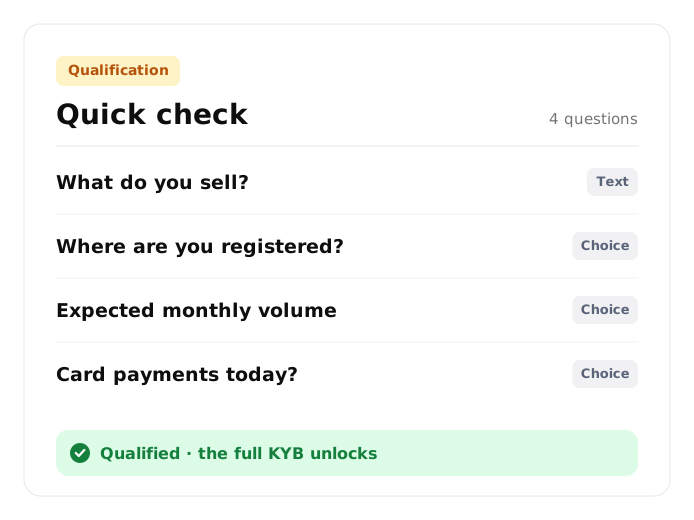
Qualification. Four questions before the full application unlocks. Enough to decide whether the conversation continues.
Standard retail KYB
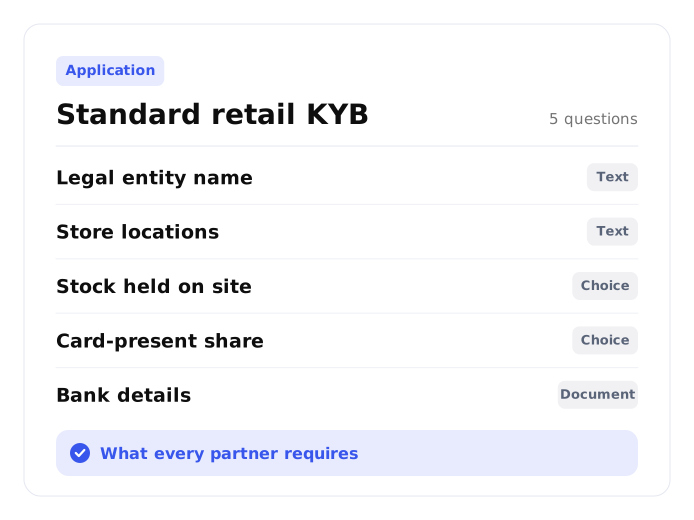
Application. Card-present and e-commerce retail. The questions your partners require from everyone.
High-risk digital
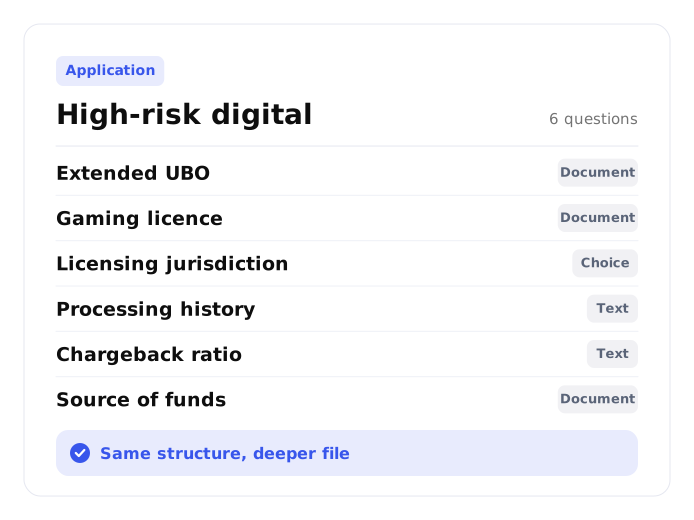
Application. Extended UBO, licensing and processing history. Same structure, deeper file.
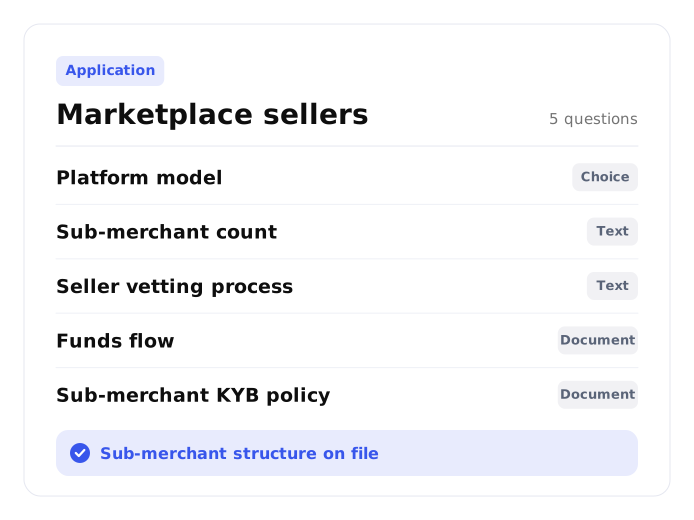
Marketplace sellers
Application. Platform and sub-merchant structure, for merchants that onboard merchants of their own.
One library.
Every program.
Form configuration sits at program level. You set which questionnaire goes out with each invitation, whether prequalification is required, and which forms a team can send. Who can change what is governed the same way as the rest of your platform, in Platform Operations & Security. Run Onboard on its own, or connected to the payment platform underneath it. The forms behave the same either way.

A baseline you set
Seed a program with the questions you require from every merchant on your network. Your client builds on top of it.
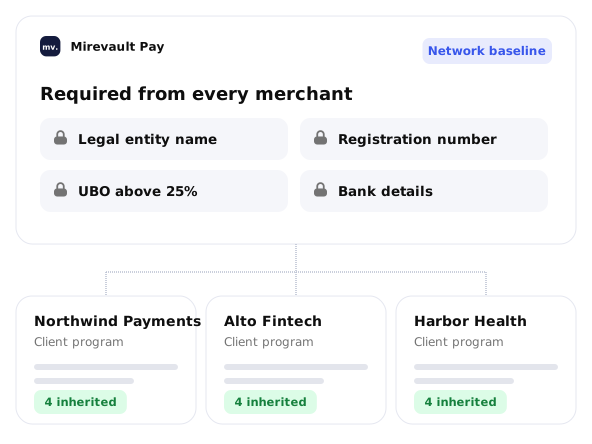

Their specifics, their forms
Each program adds the questions its own merchant mix calls for. A client serving marketplaces asks different things from one serving clinics.
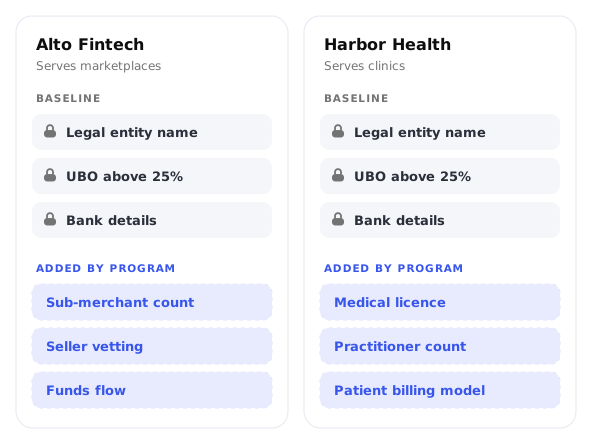

Ready-made forms to start from
A set of onboarding forms comes with Onboard, so a program opens on a working baseline rather than a blank page.