Every document.
One pass.
Read on arrival, checked automatically, approved in context.
Identity documents, certificates, bank details and licences arrive in one place and stay there. Each one is read on upload, expiry is checked as it lands, and your team approves or challenges in context.
Book a demo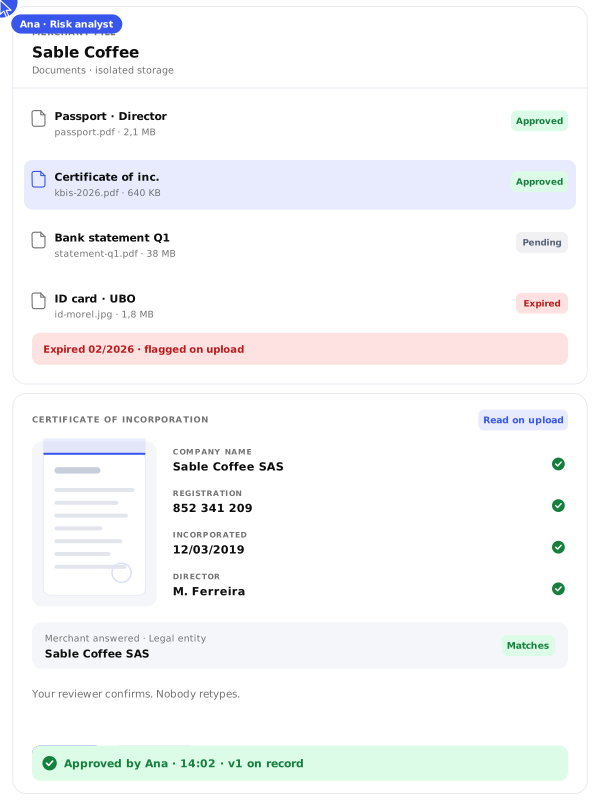
Documents that stay
where you filed them.
where you filed them.
A KYB file spreads across email threads, chat apps and personal drives the moment a partner asks a follow-up question. Identity documents end up in places nobody controls, in several versions, and the current one becomes a guess. Here, every document belongs to a merchant, a questionnaire and often a specific question.

Isolated storage per merchant
Encrypted documents and data
Content extracted on upload
Full version history
Approve or challenge with a reason
Retention on files and logs
Review documents,
not email chains.
Answers and documents side by side, built for the reviewer. Challenge a document with a reason, the merchant replaces it, and every version stays on record. Weak answers and weak documents are visible, so nothing gets approved with gaps.

Read on upload
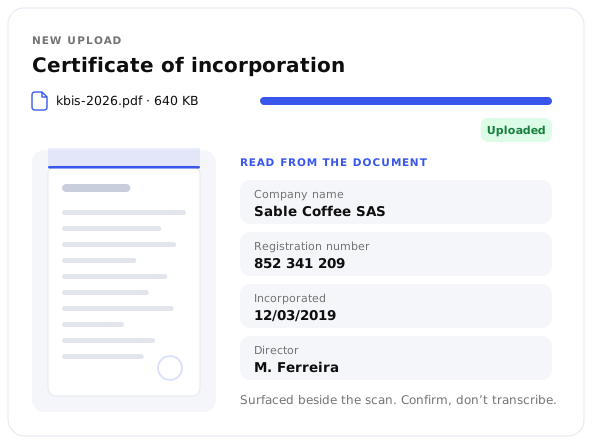
Each document is parsed as it arrives and its content surfaces beside it. Your reviewer confirms rather than transcribes.

Expired documents flagged
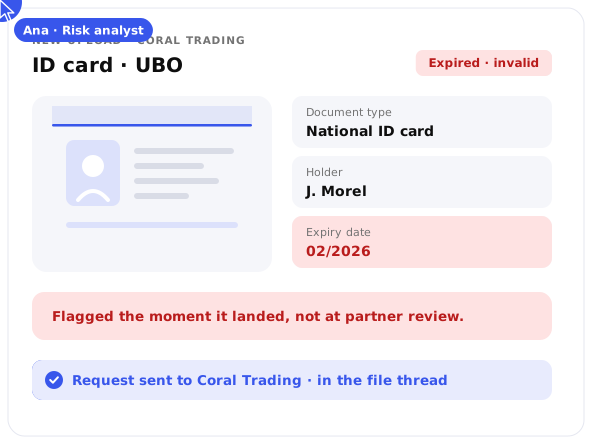
A document past its expiry date is marked invalid the moment it lands, rather than three weeks later at partner review.

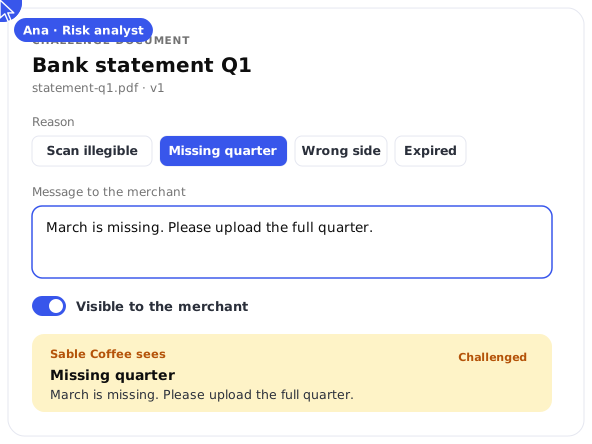
Challenge with a reason
A challenged document carries the reason the merchant sees. Scan illegible, missing quarter, wrong side. The replacement lands as a new version.

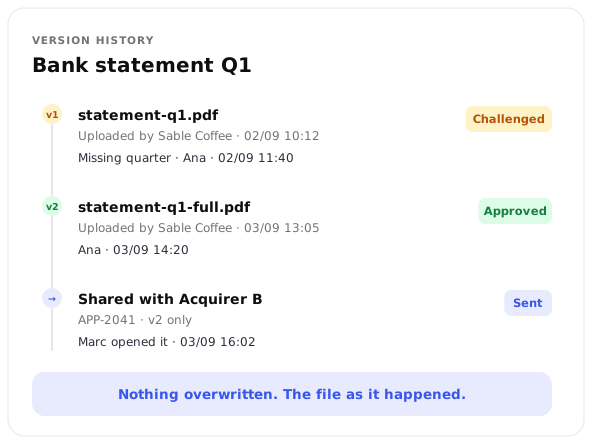
Nothing overwritten, nothing lost
Every version stays on record, with who reviewed it and when. The file your auditor reads is the file as it happened.

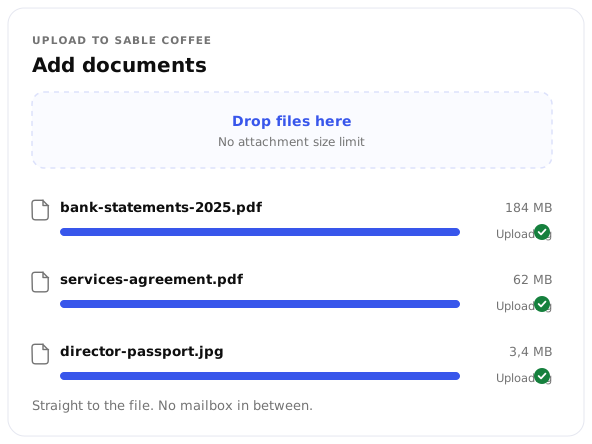
Heavy files welcome
No attachment size limit. Bank statements and contracts upload straight to the file.
Protection that
matches the data.
Onboarding handles the most sensitive data your business touches: identity documents, ownership structures, bank details. Every document is encrypted under a managed key, held in storage reserved for the merchant it belongs to, and kept on European infrastructure for the period your program defines. NORBr is built under EU 2016/679.

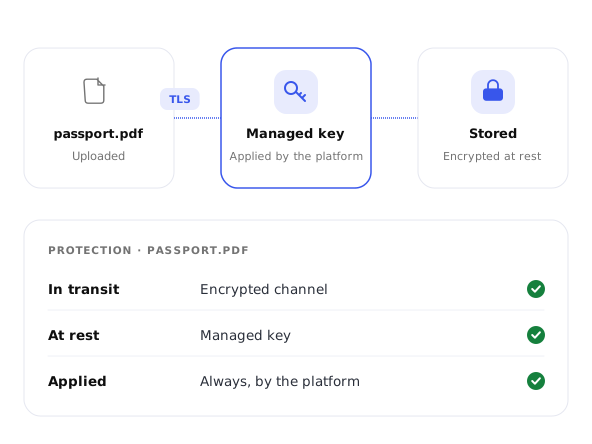
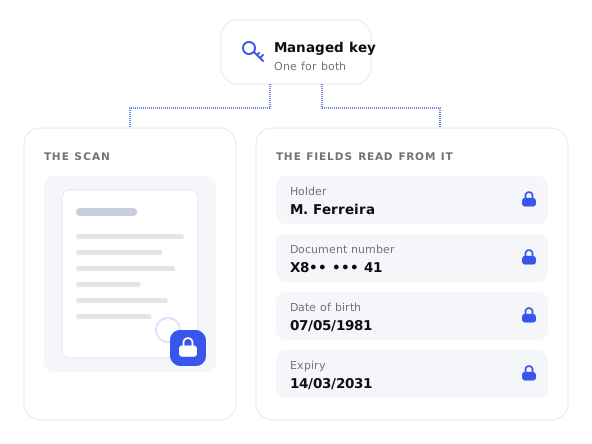
Encrypted under a managed key
Documents travel over encrypted channels and are encrypted with a managed key once stored. The platform applies it, always.

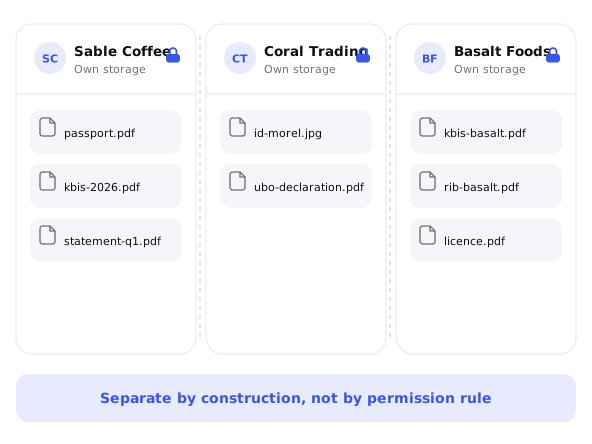
Storage isolated per merchant
Each merchant's documents sit in their own space rather than a shared pool, by construction rather than by permission rule.

Extracted data protected like its source
The information read out of a document carries the same encryption as the document. The scan and the field are protected alike.

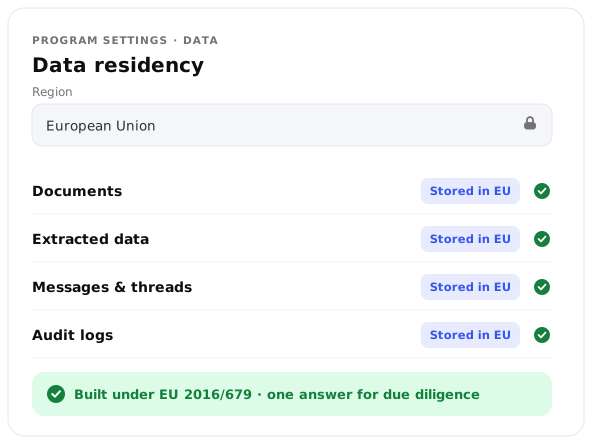
European data residency
Onboarding data stays in Europe. The setting sits in your program configuration, ready for the next due diligence question.

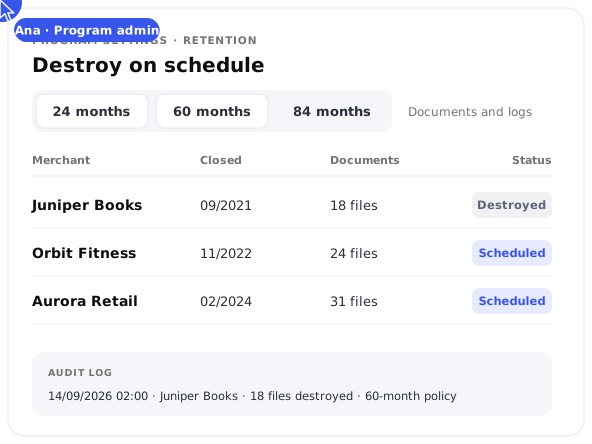
Destroy on schedule
Set document retention per program: 24, 60 or 84 months. When policy says destroy, the platform complies and logs it. Audit logs follow the same rule.
A file that
stays current.
Onboarding doesn't end at go-live. Documents expire, directors change, partners ask again. Onboard keeps the merchant file open: challenge expiring documents, request replacements and keep the file audit-ready for as long as the merchant processes. Access follows the roles you granted, with the SSO, MFA and session rules you already apply elsewhere.

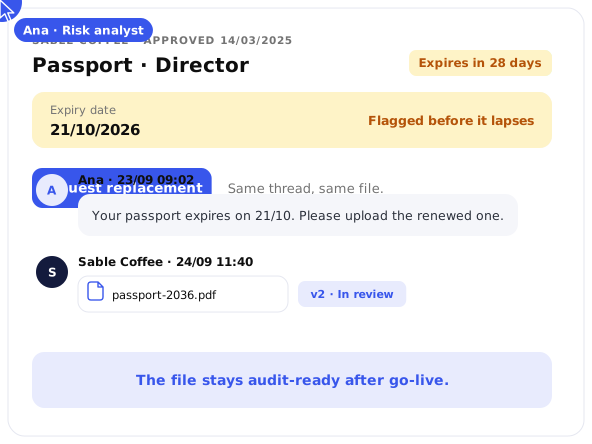
Expiry watched after approval
An identity document that expires next month is flagged before it does. Request the replacement in the same thread.

A trail that holds up
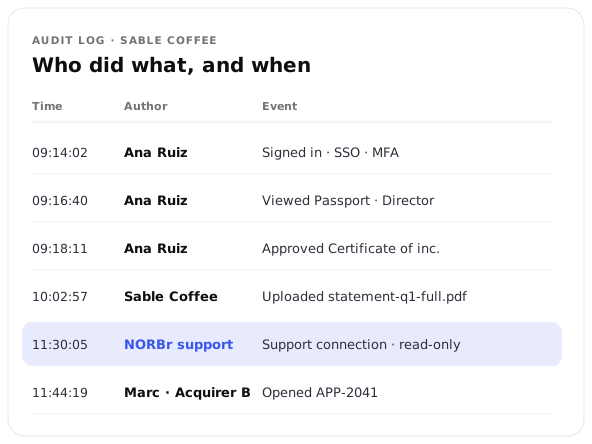
Every login, status change, approval and access is recorded with author and timestamp. Support connections appear there too, readable in Platform Supervision.