What you can ask
Ask naturally. Claude picks the right data, runs the analysis and, when you ask, acts in your other tools: Slack, Jira, Gmail and more. A few examples:

01. Ask in Slack, get the report in Slack
Mention Claude in your channel. It uses your own NORBr connector, with your permissions, asks you before it starts and lets you review the result before it posts. Ask once, it repeats every week.
Then try :
“@Claude post the settlement totals to #finance as well.”
Then try :
“@Claude post the settlement totals to #finance as well.”

02. Test a routing change before you make it
Claude replays your historical transactions with the new rule and quantifies the impact on acceptance and cost, before you touch production.
Then try:
“Now try a 70/30 split between Acquirer A and C.”
Then try:
“Now try a 70/30 split between Acquirer A and C.”
03. From alert to ticket in one ask
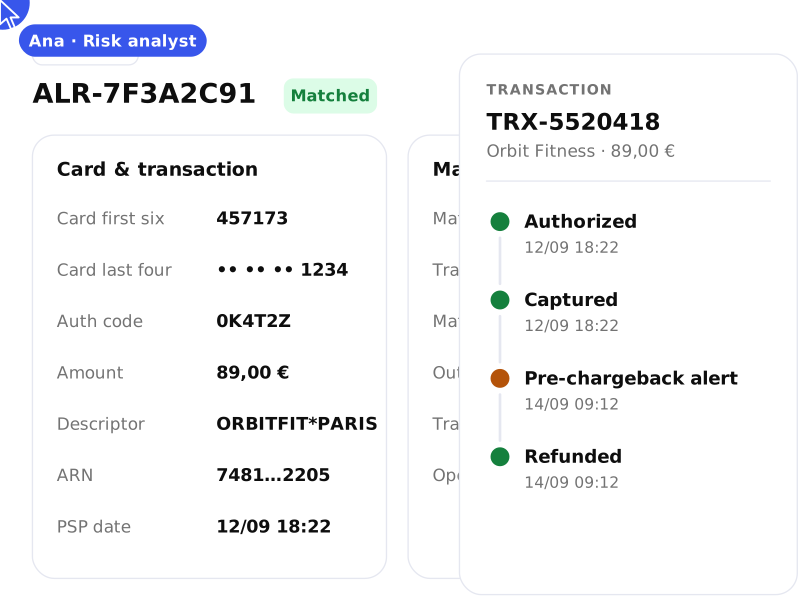
Claude finds the merchants over your threshold, then opens one Jira ticket per merchant with the figures already filled in.
Then try:
“Add the top 3 dispute reasons to each ticket.”
Then try:
“Add the top 3 dispute reasons to each ticket.”
04. Turn an insight into a ready-to-send email
Claude drafts the message in Gmail with the right numbers and next steps. You review, adjust and send.
Then try:
“Make it shorter and add a link to book a call.”
Then try:
“Make it shorter and add a link to book a call.”
05. Measure what 3DS really costs you
Split results by authentication flow to see where friction turns into lost payments.
Then try:
“Which issuers abandon 3DS the most?”
Then try:
“Which issuers abandon 3DS the most?”
06. Root cause, right in the incident channel
Mention Claude where the team already is. Once you’ve allowed your NORBr connector, it crosses PSPs, BINs, countries and error codes and posts the cause and the fix for everyone.
Then try:
“@Claude alert this channel if it happens again.”
Then try:
“@Claude alert this channel if it happens again.”
07. Your merchant review deck, drafted for you
Claude pulls each merchant’s acceptance, volume and disputes, ranks them and builds the slides: findings, improvement areas and next steps. You open it, adjust, present.
Then try:
“Add a slide comparing Acquirer A and B fees per merchant.”
Then try:
“Add a slide comparing Acquirer A and B fees per merchant.”
